Every improvement that ships to the platform, newest first.
Big updateFor couples & planners·3 September 2026
Events - every moment of the day, as its own event
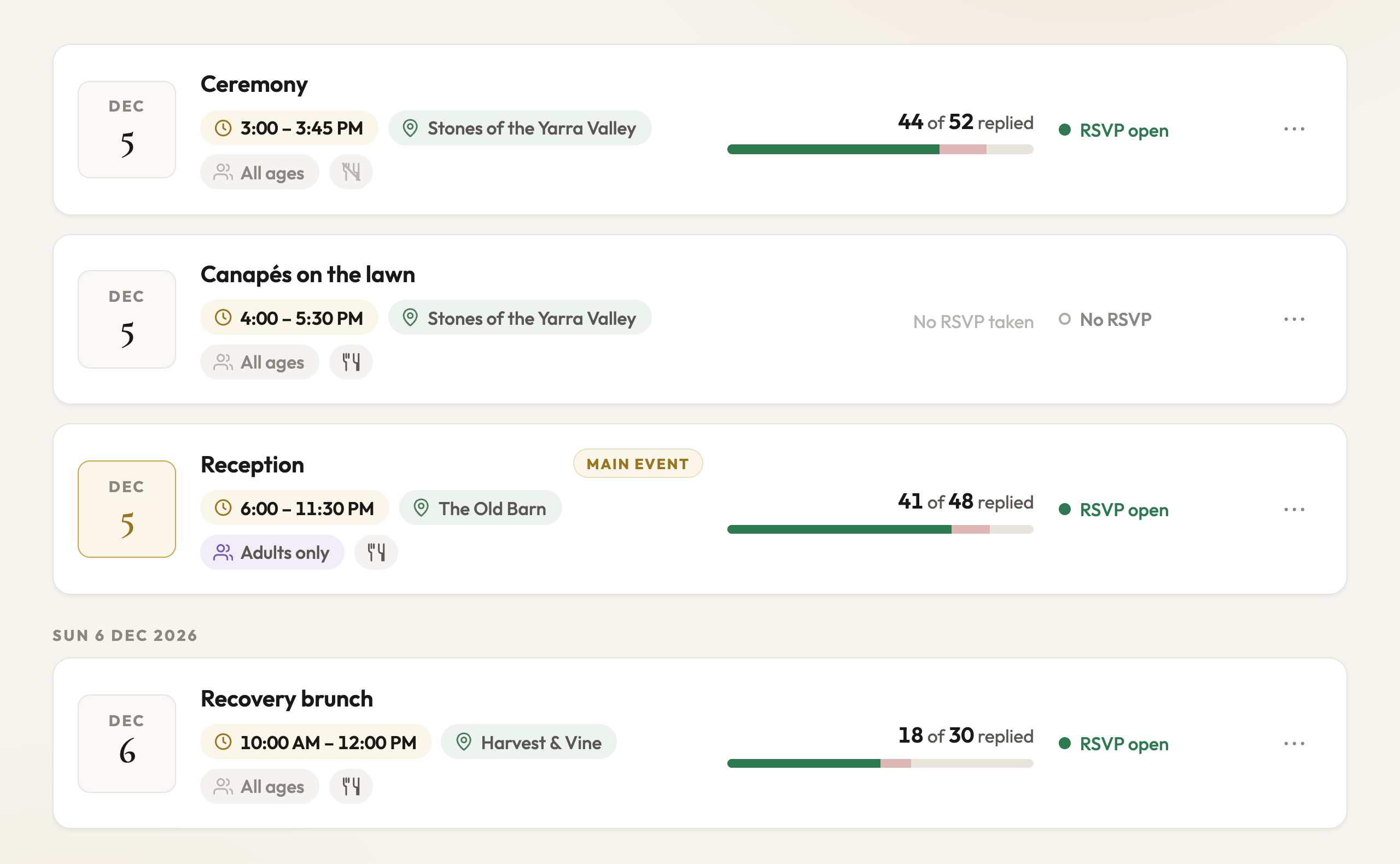
A wedding is more than one event. There is the ceremony, the canapes on the lawn, the reception, maybe a rehearsal dinner the night before or a recovery brunch the morning after. Events gives each of them its own entry - ordered by day and time, with the main event marked - so everything else in PlannedBy knows which part of the day it belongs to.
Ceremony, canapes, reception - each its own event, the main one marked in gold
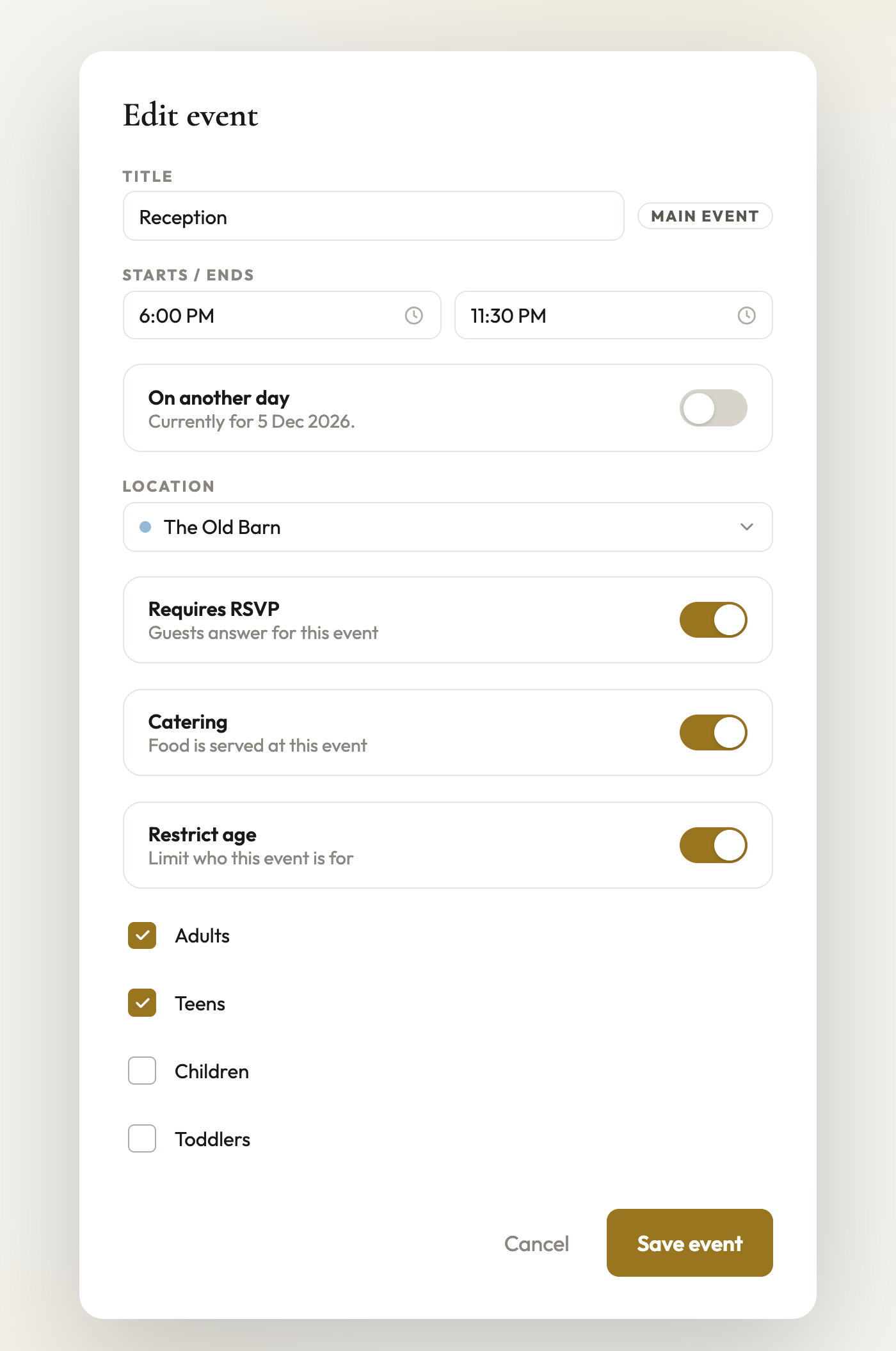
Every event sets its own times, place, RSVP, catering and who it is for
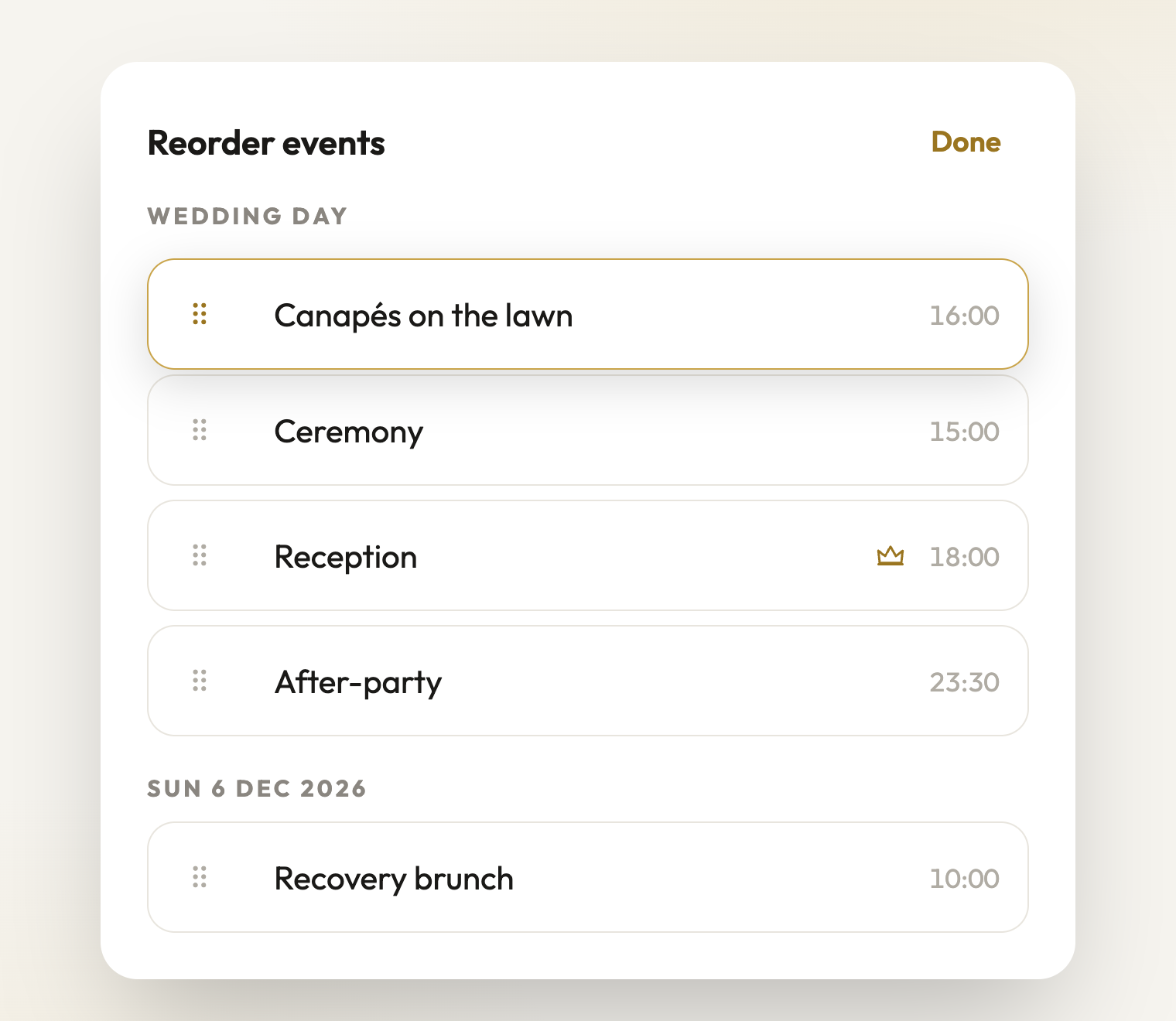
Drag events into the order you want - guests always see them by time
Add every moment of the wedding as its own event - ceremony, reception, brunch, after-party - each with a start and end time
Events sit under their day: the wedding day first, other days by their date
One event is the main event - marked in gold, and it names the day for your guests
Choose which events take RSVPs and which do not - a ceremony can be open to everyone while the reception is by reply
Turn catering off for an event that does not serve food, and dietary questions follow the food
Restrict an event by age group - adults only, or no toddlers - in plain words, never signage
Point each event at one of your locations, and it shows on the Venue overview
Drag to reorder events on your side; your guests always see them in time order
For planners
Each client wedding carries its own events - the ceremony-only, the reception-only, the whole-weekend guest lists all come from the same list
Big updateFor couples & planners·3 September 2026
Locations and venue managers
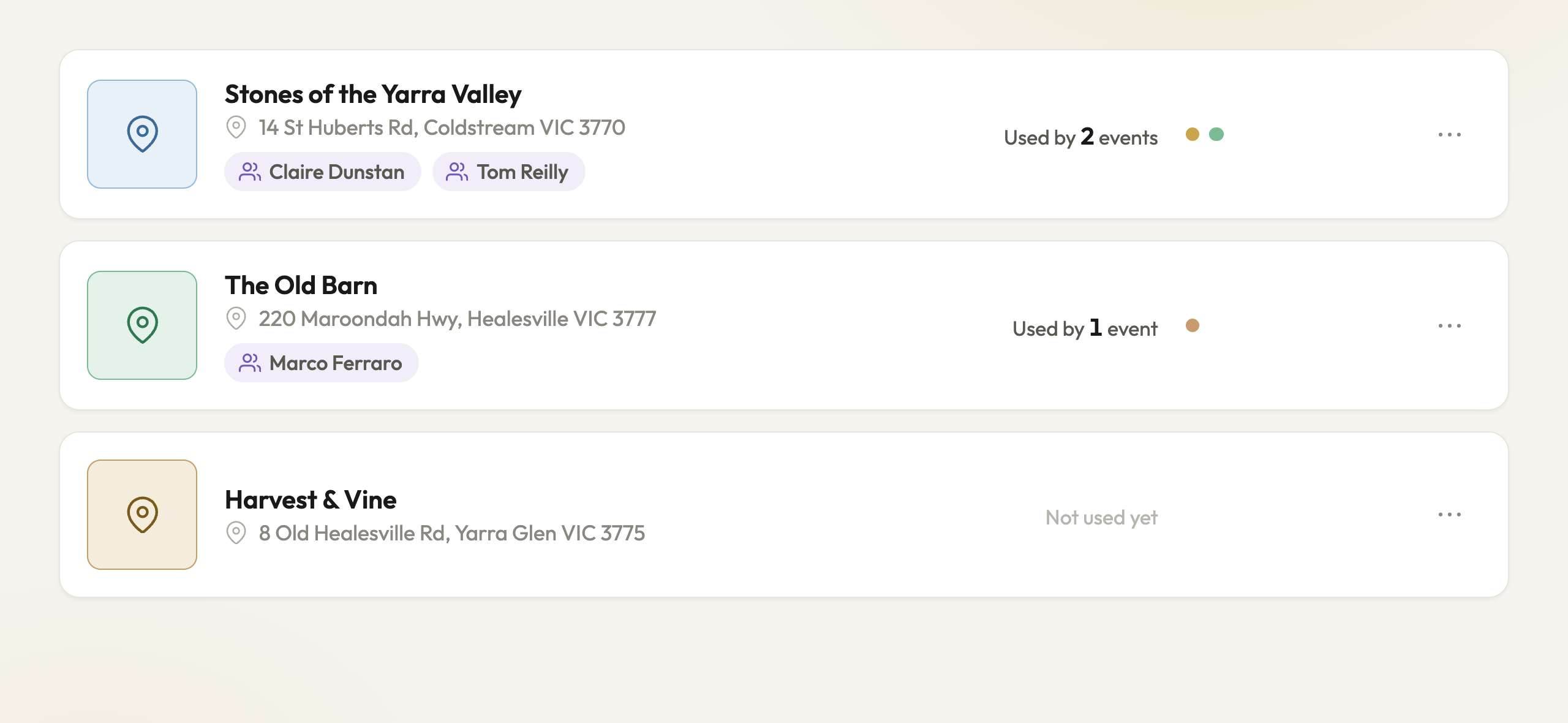
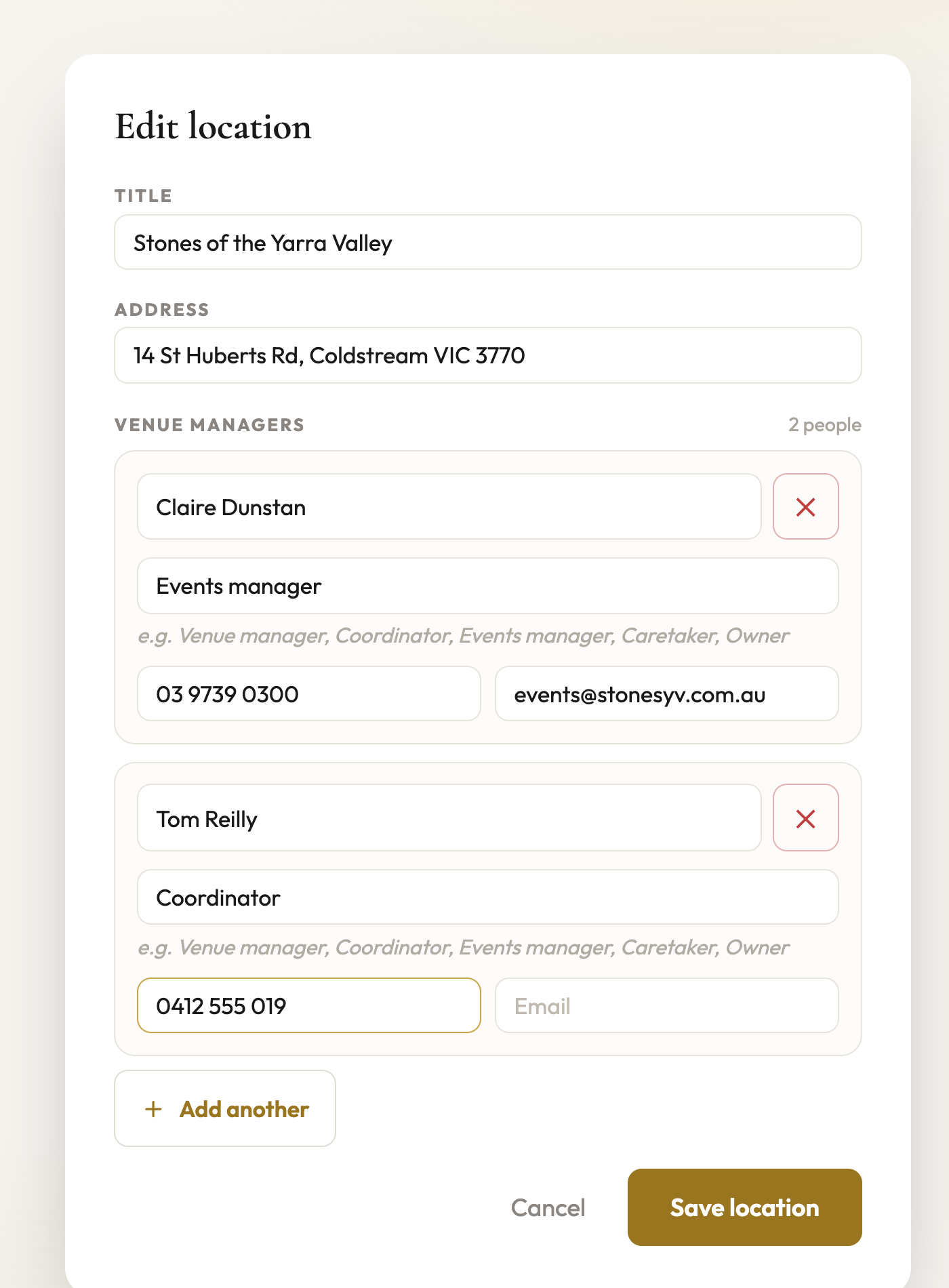
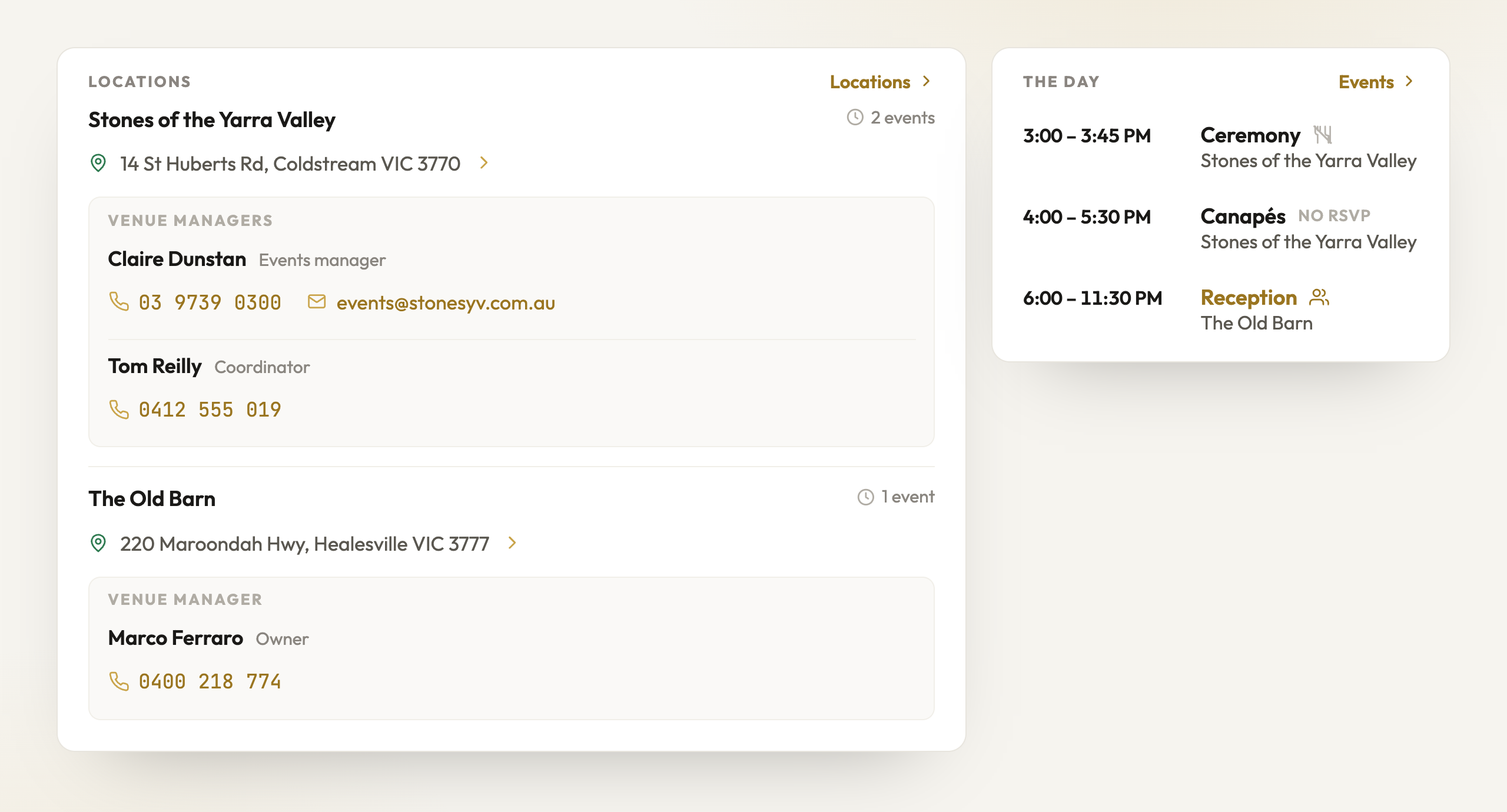
The places the wedding happens now live in one list. Each location carries its address and the venue managers - the people you ring when something needs sorting on the day. Events point to locations, and the Venue overview is built from both, so the whole picture is one page on your phone.
Each place with its address and the people to ring on the day
Add the venue managers - name, role, phone, email - per location
The Venue overview builds itself from your locations and events
Add every place the day touches - the venue, the church, the prep house, the after-party spot
Each location has an address that opens straight in your maps app
Add the venue managers for each place - name, role, phone and email - and tap to call or email from your phone on the day
Every event points at a location, and each location shows how many events use it
The Venue overview is now built from your locations and events - the places with their managers first, the shape of the day beside them
Already have a venue in Settings? One tap makes it your first location
For planners
Venue contacts typed on the laptop reach your phone at the venue - locations are saved with the wedding, not the device
Big updateFor couples·3 September 2026
RSVP invitations - design it, share one link
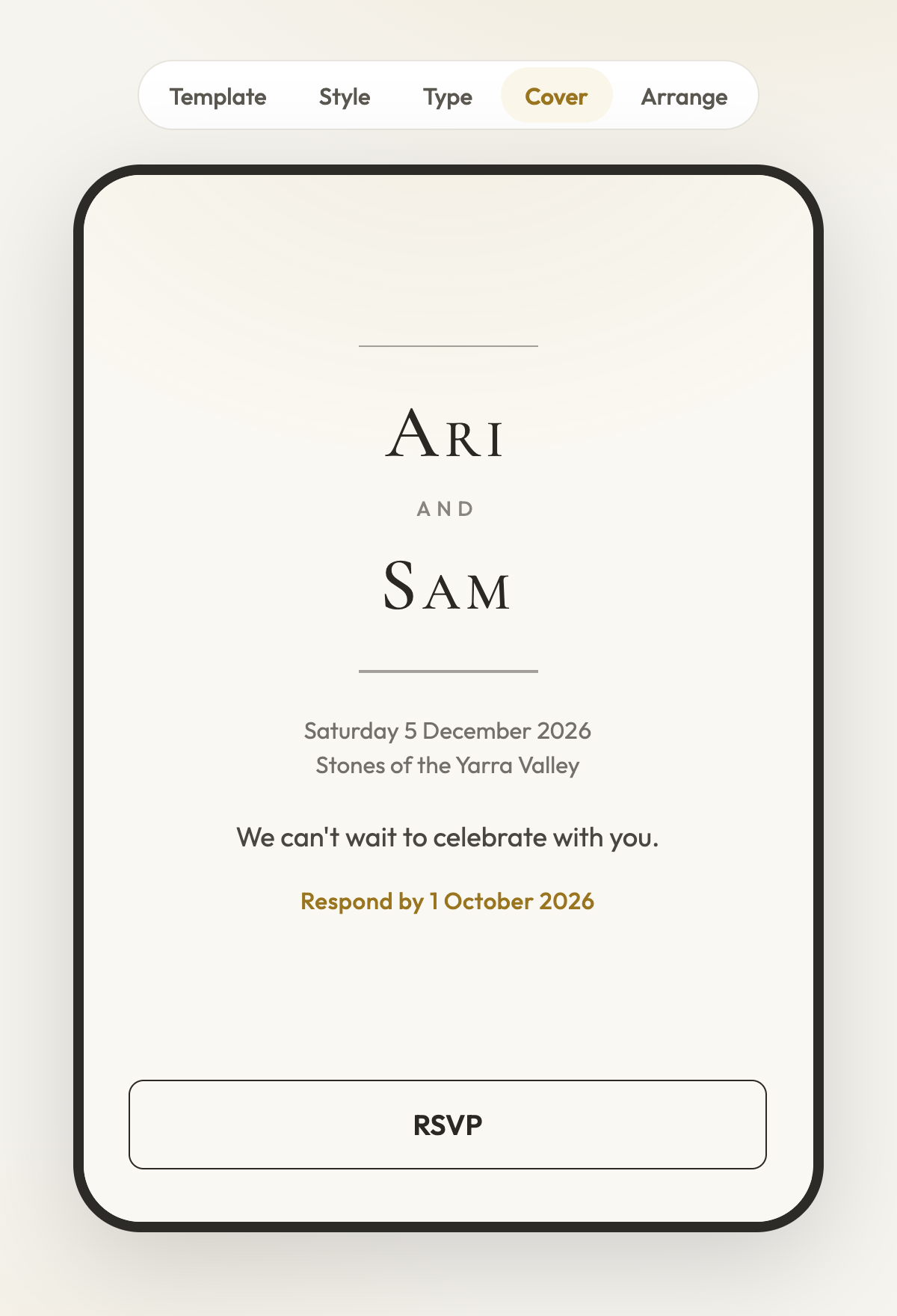
Your RSVP is now an invitation you design, not a form you fill in. Choose a house template, set the colours and type, put your own photo behind it, and preview the whole thing as any household on your list. Then share one link - guests find their names and answer for every event they are invited to.
Pick a house template, set the colours and type, and see the cover as your guests will
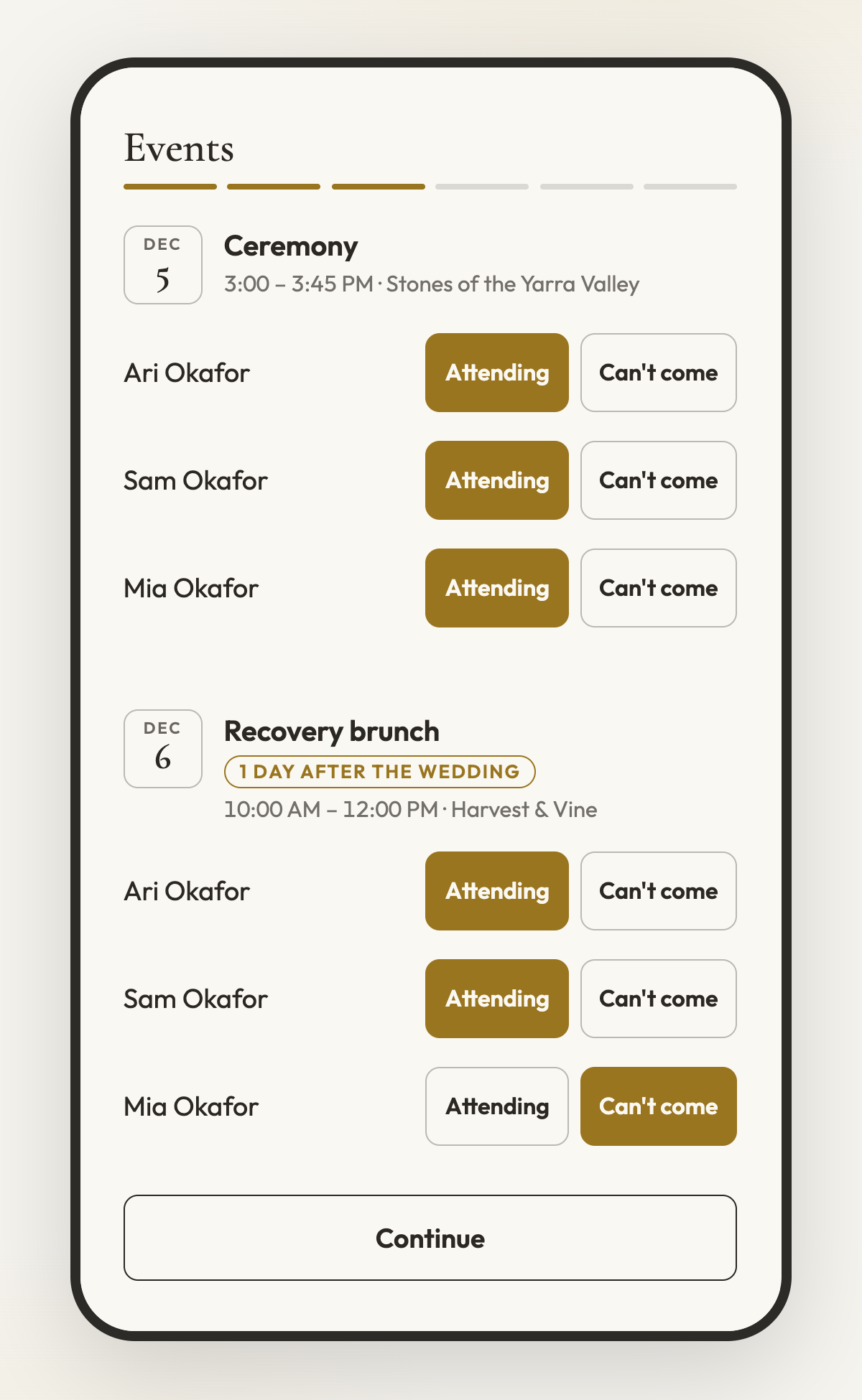
Guests answer per person and per event - dietary needs follow where food is served
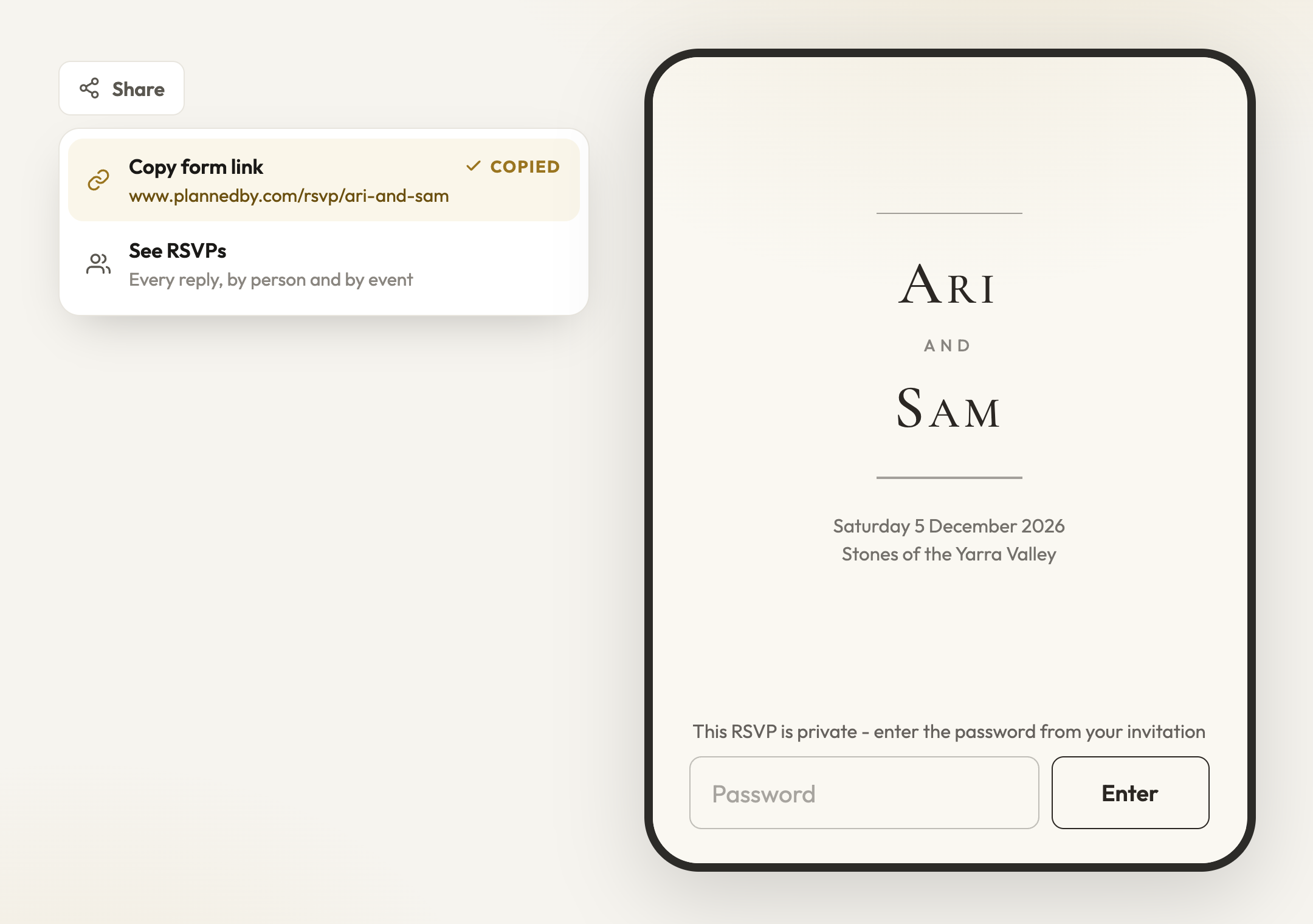
Copy one link for everyone - and put a password on the cover if you want it
Eight house templates, each with its own colour sets and display faces - colours and type stay yours to change
Put your own photo behind the cover, and use Adjust image to move and zoom it until it sits right
Write the cover in your own words - names as you type them, a welcome message, the date and place shown or hidden
Preview as any household on your guest list and walk their exact pages before you send anything
Share one link - www.plannedby.com/rsvp/your-link - and every guest finds themselves by name
Guests answer per person and per event: attending or not, dietary needs where food is served, and a note back to you
Add a password to the cover if you want the link to stay private - print it on the invitation
Every reply lands on your guest list against the right person and the right event
Guests get a confirmation email with every event, place and time, and a link to change their answers any time
Close with a message of your own - a thank you, a note about gifts, a link to your registry
Big updateFor couples·24 August 2026
Budget planner - give every dollar a job
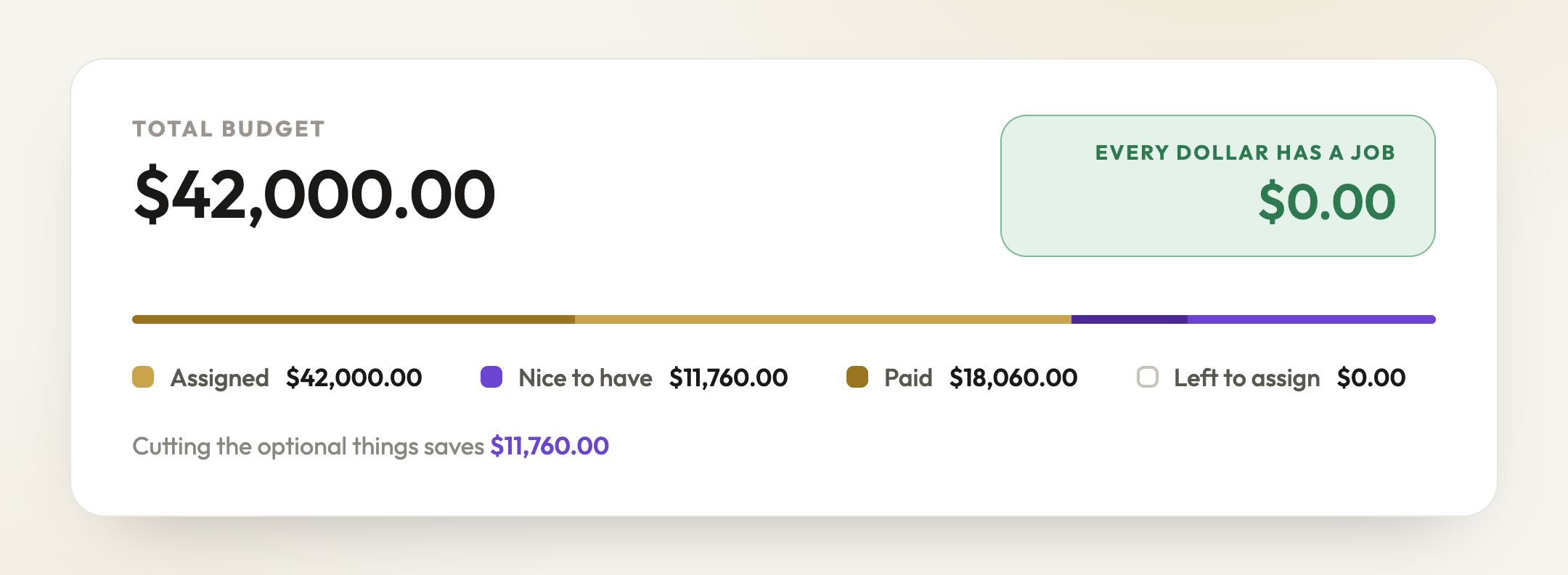
There is a budget planner in PlannedBy now. It starts from one pot - the total you have to spend - and asks you to give every dollar of it a job. The number at the top is the only one you have to watch: it counts down as you assign money, and turns green when there is nothing left sitting idle.
One pot, one bar - and a headline that turns green when every dollar has been given a job
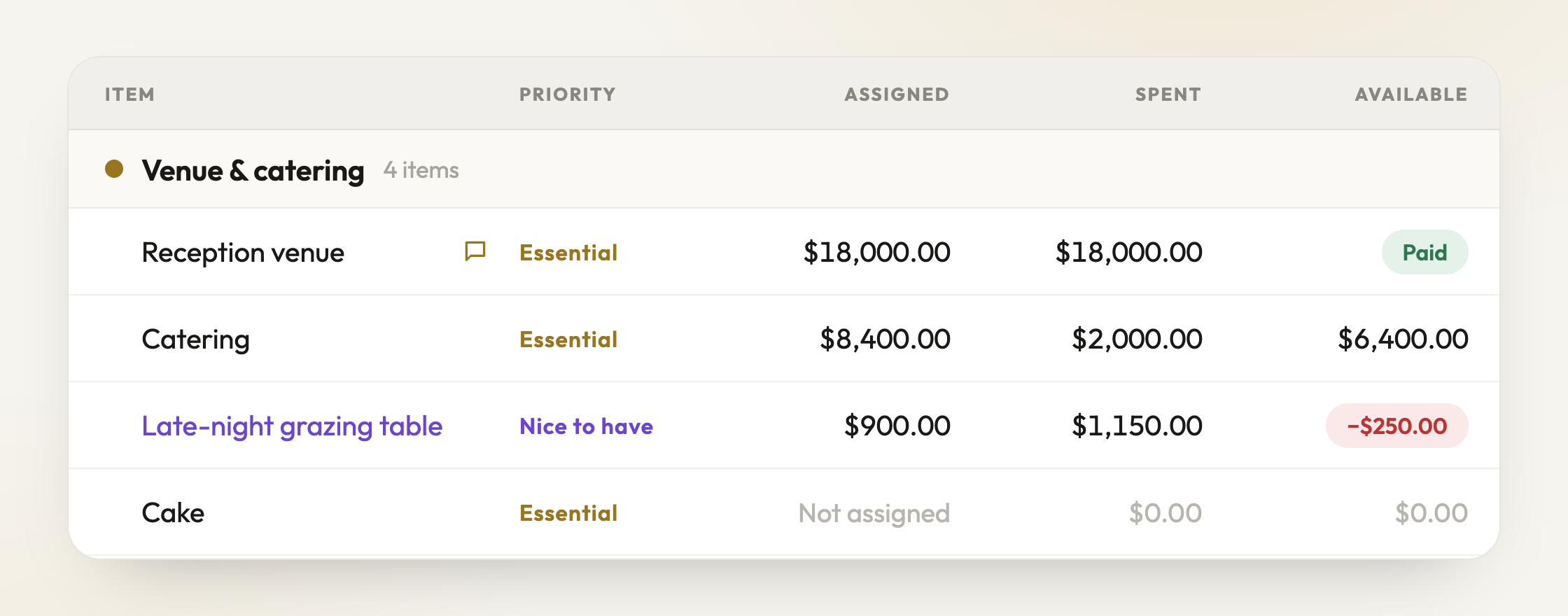
Assigned is what a thing is allowed to cost, Spent is what has left the bank, Available is what you still owe
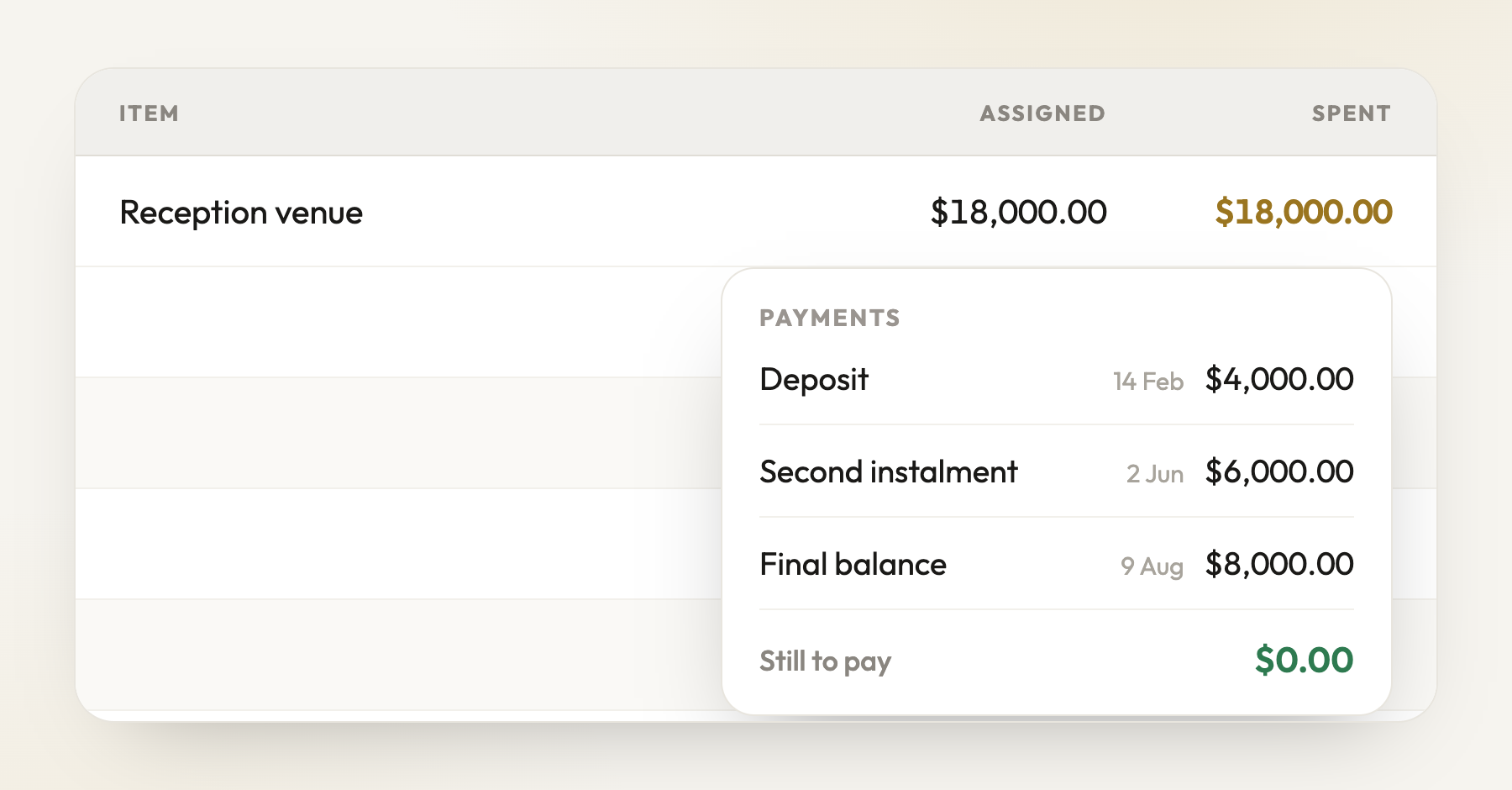
Click what you have spent to see the payments behind it - a deposit in February and a balance in August stay two facts
Set your total once, then split it across categories and line items you can rename, recolour and reorder
Three columns that mean what they say: Assigned is what a thing is allowed to cost, Spent is what has actually left the bank, Available is what you still owe
A line turns green and says Paid when it reaches zero - the finish line for a row is nothing left owing, not a healthy balance
Spent is never typed. Click it and add the payments behind it, so a deposit in February and a final balance in August stay two separate facts
Go over on a line and it says so in red, on that line, the moment it happens
Mark anything Essential or Nice to have, and the summary tells you what the wedding costs without the optional things
Switch between Everything and Essentials only to preview the whole plan either way - it is a view, so nothing is deleted or hidden for good
Move money from one line to another when a quote comes back higher than you hoped, without retyping either figure
Leave a note on any line - the quote number, who your contact is, what the minimum spend covers
It starts you off with a full structure of the usual categories and costs, every figure at zero, so you are filling in a shape rather than staring at a blank page
Works properly on a phone: cards you can open with a thumb, press and hold to act on one, and its own sheets for notes and moving money
Everything you change can be undone
Big updateFor couples & planners·19 August 2026
Run sheet cells, rebuilt
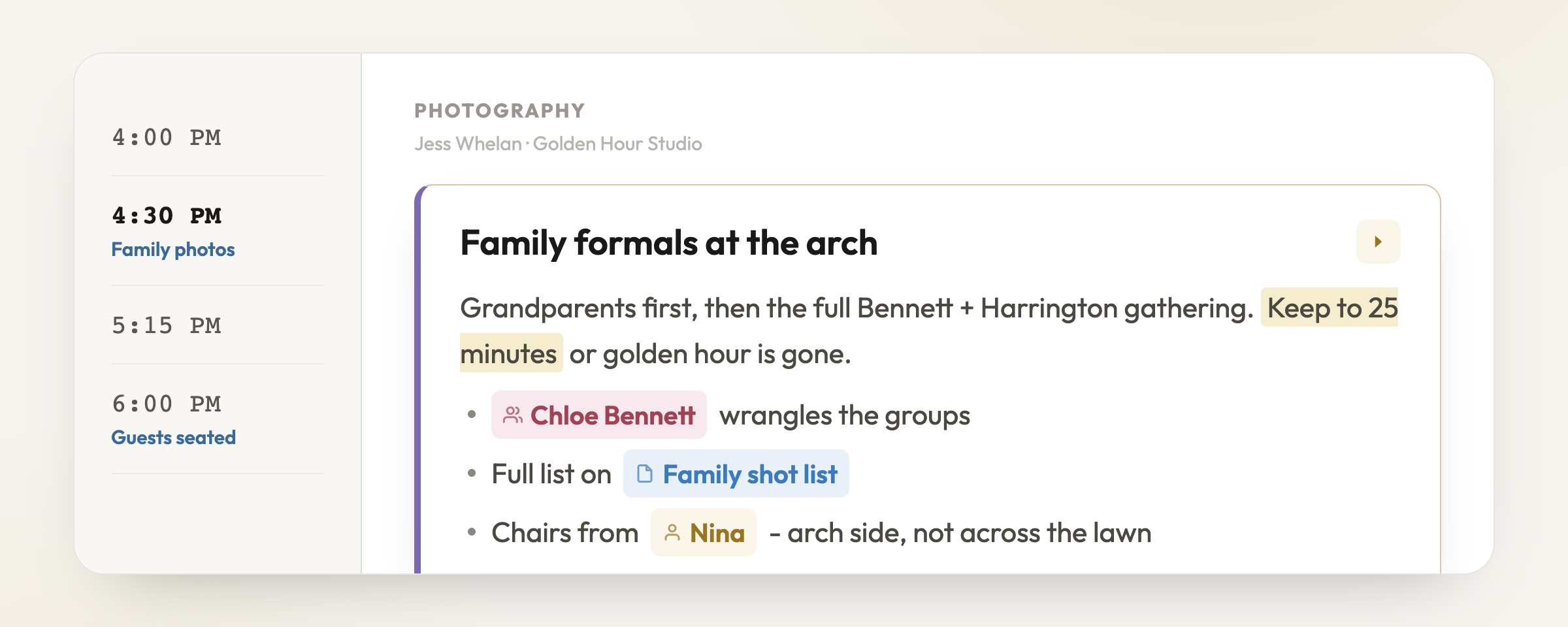
Every cell on the run sheet is now a small document. The first line is the title you skim; everything under it is the detail that only shows when you want it. Format it, mention people, and reference the rest of your planning without leaving the cell.
A cell now holds a title AND the detail behind it - formatted, mentioned, linked
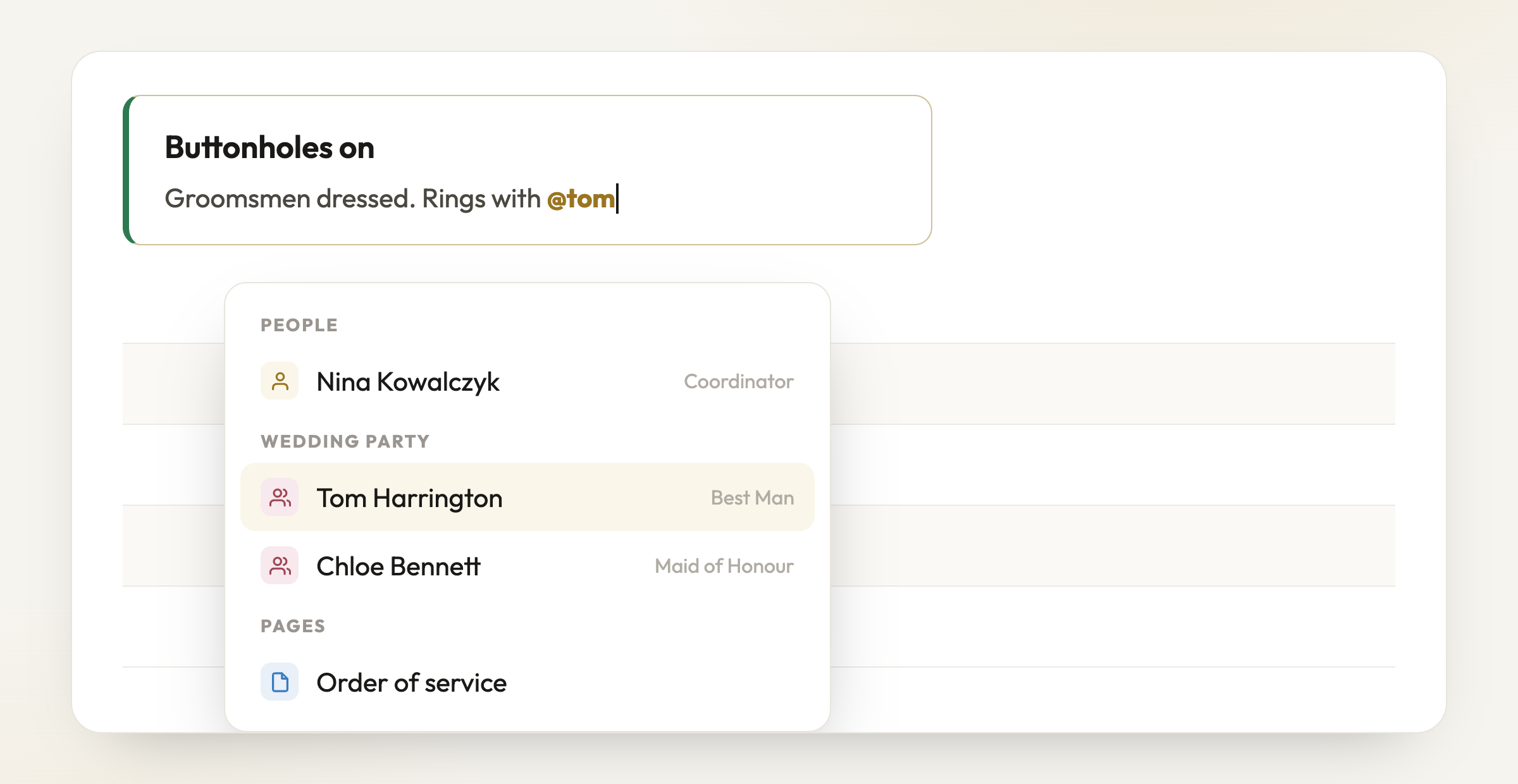
Type @ to mention vendors, your wedding party, or a page
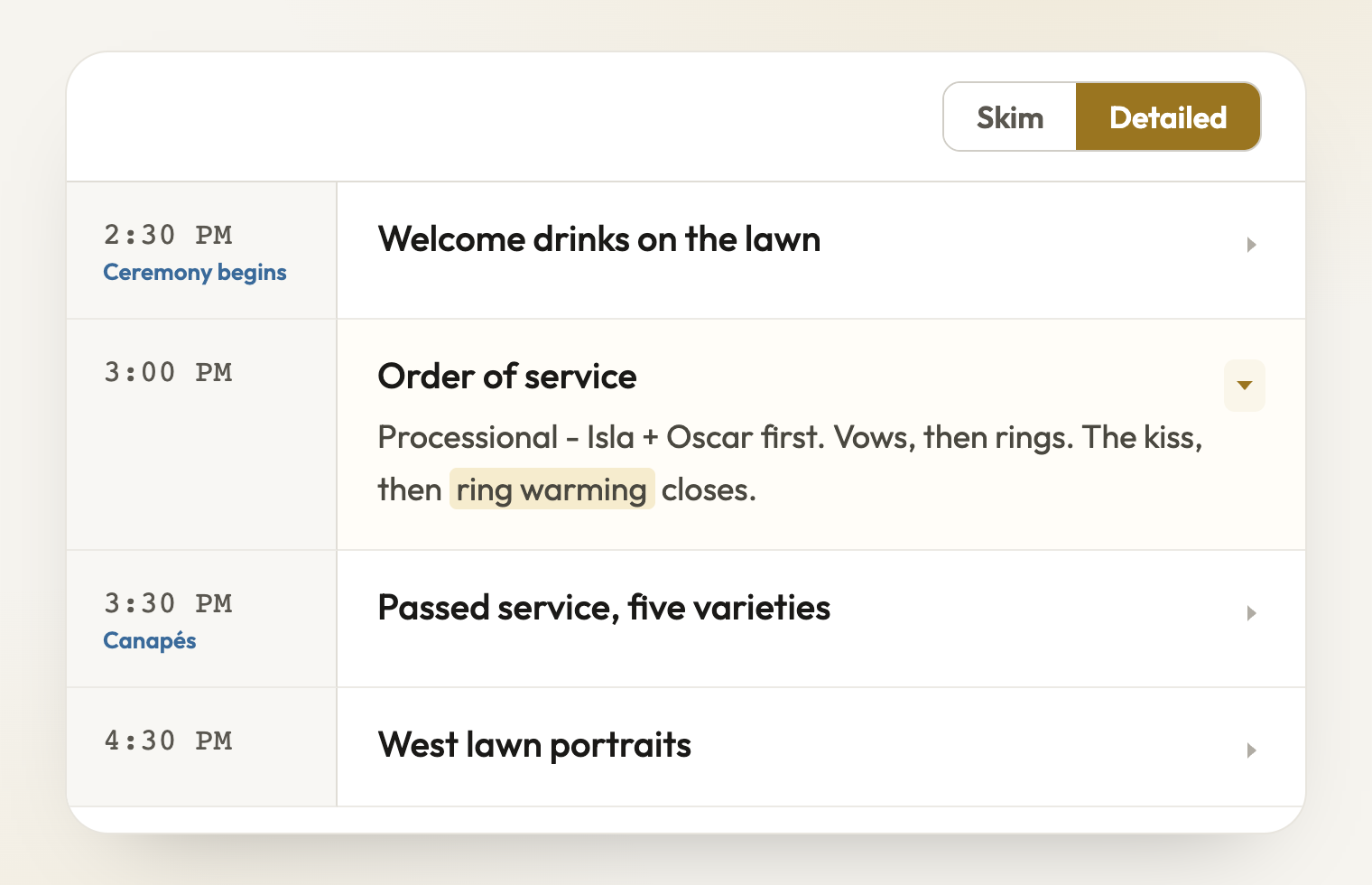
Skim the day as one-line titles, or expand everything that has detail
Bold, italics, underline, highlights and colour - plus bullet lists and links
Type @ to mention a vendor, someone in your wedding party, or a page - mentions become small pills you can hover for details or click for the full card
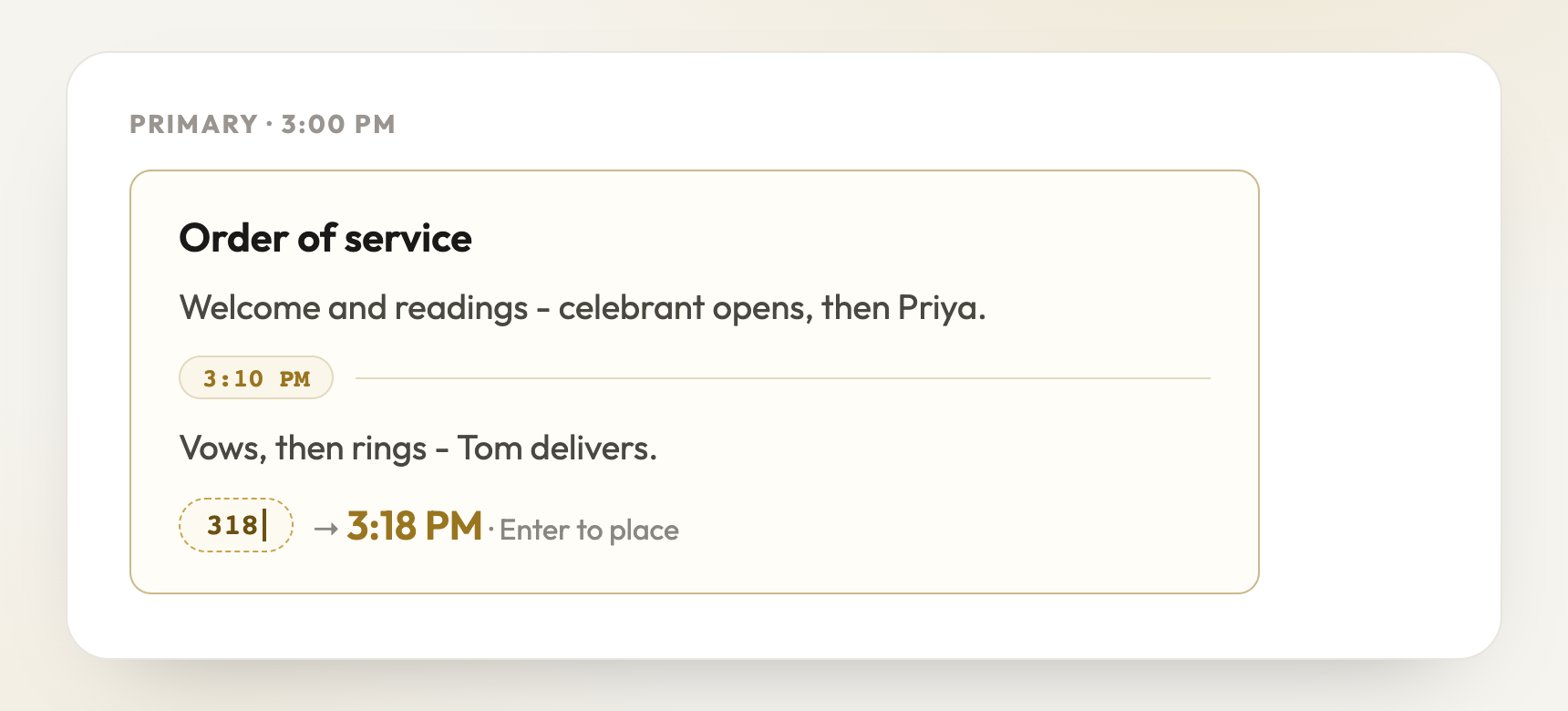
Type / for quick commands - create a page, link a cell, or drop a time marker inside a long cell
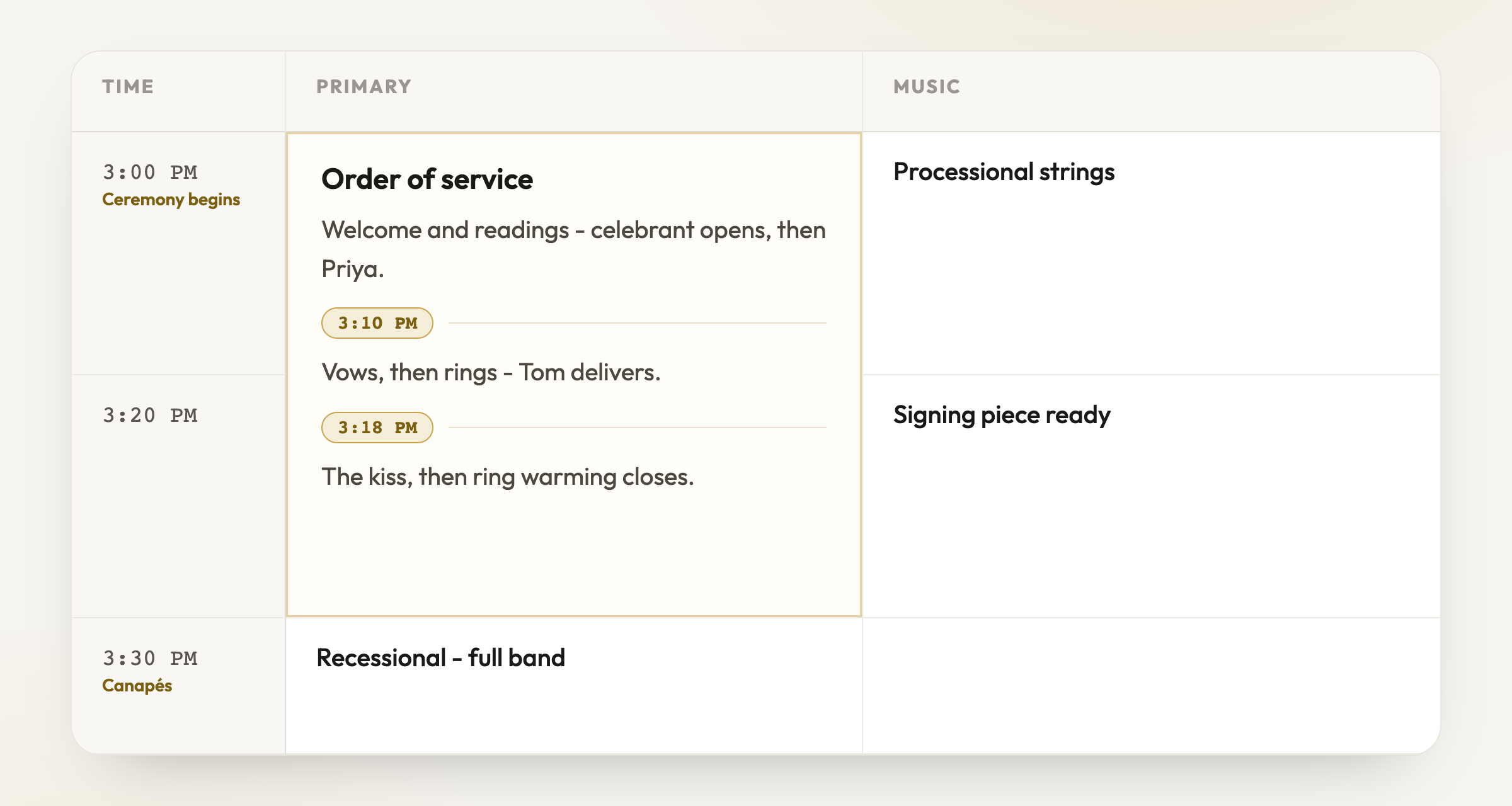
Time markers inside a cell break a long block into the minutes that matter - the order of service, reading by reading
Skim and Detailed views: collapse the whole day to one-line titles, or open every cell that has more to say
Hover any mention for a quick card; click it for contact details and a preview
For planners
Wedding party mentions are reference-only - nobody gets an access code or an email just for being mentioned
Big updateFor couples & planners·19 August 2026
Linked cells - write once, updates everywhere
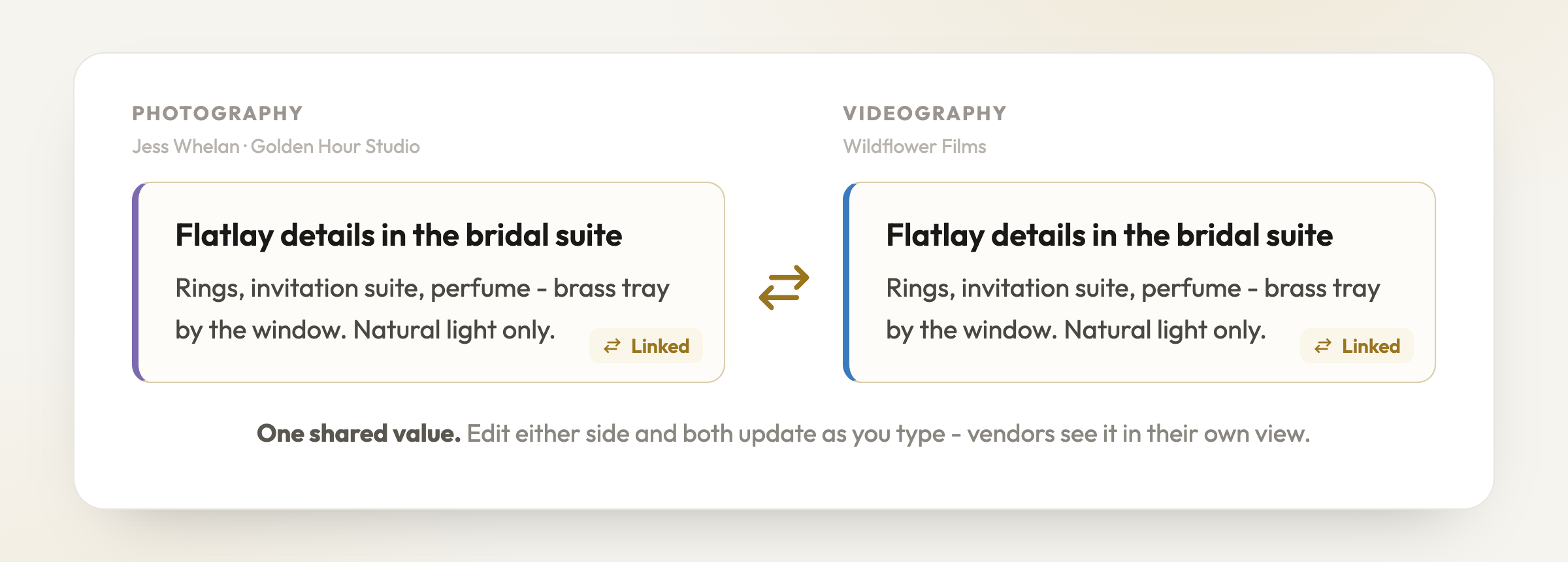
Some instructions belong to more than one vendor - the flatlay brief your photographer AND videographer both need, the pack-down note for catering and styling. Link the cells and they become one shared value.
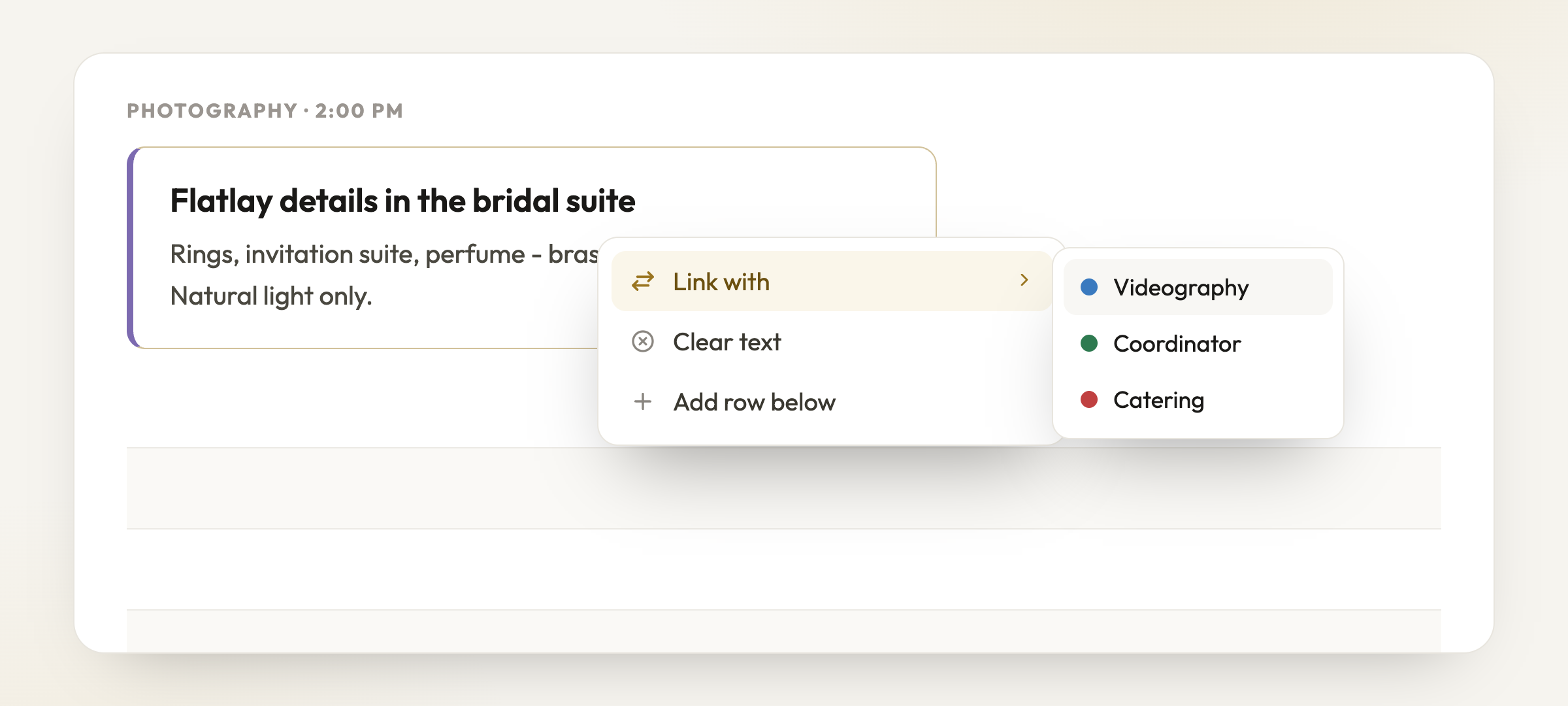
Link a cell to other vendor columns from the right-click menu
One shared value - edit either side and both stay in sync
Right-click a cell and choose Link with - pick any other columns on that row
Edit the cell in either column and both update, live, as you type
A small transfer icon shows a cell is linked - click it to see who with
Unlink any time - the text stays where it is
Vendors see linked content in their own column view automatically
Big updateFor couples & planners·19 August 2026
Merged cells
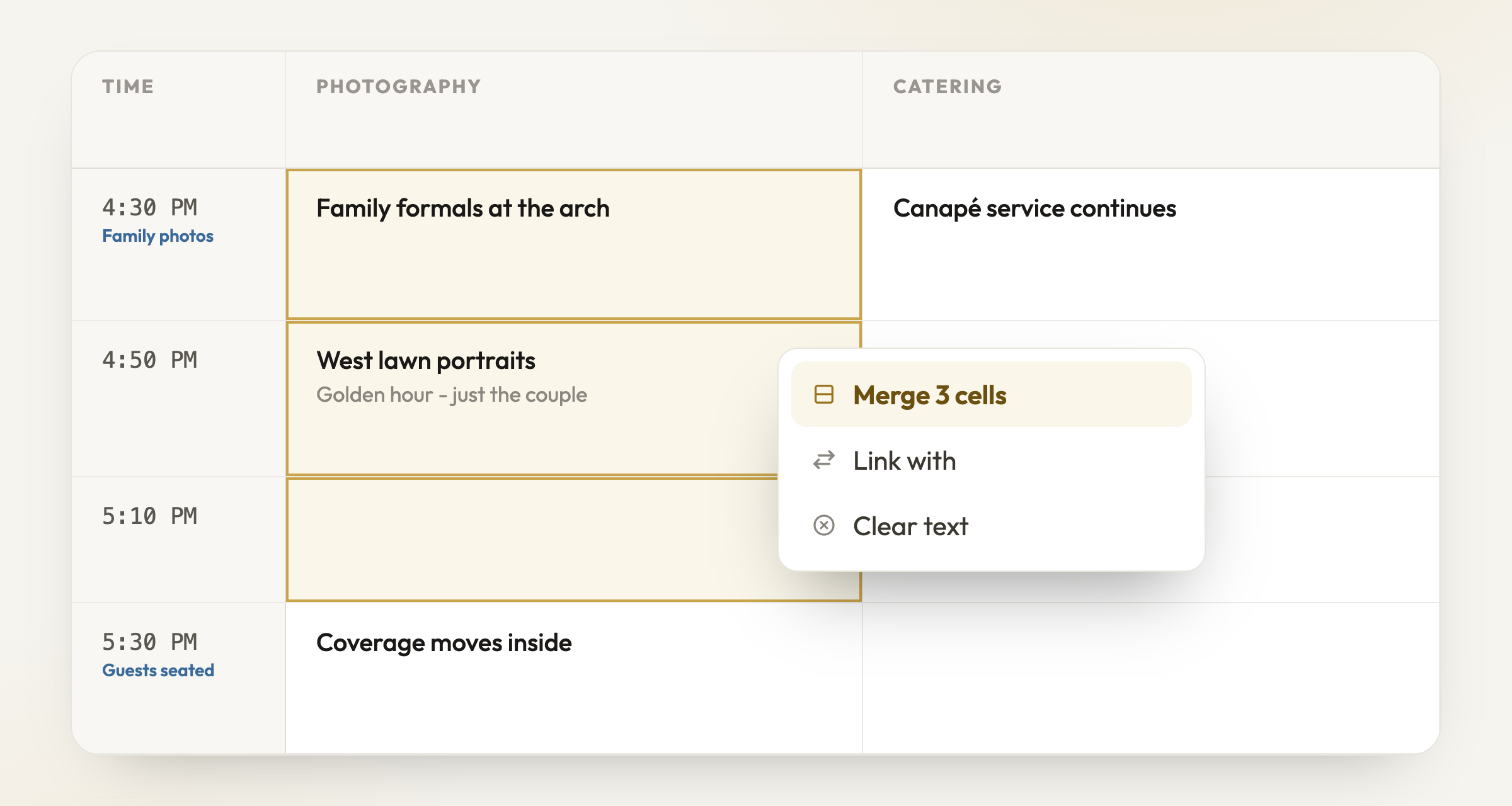
When one job spans an hour of the day, it should look like it. Select a run of cells in a column and merge them into one tall cell that covers the whole window.
Shift-click or drag down a column to select the rows to merge
One tall cell spans the time it covers - with time markers inside
Shift-click or click-drag down a column to select, then right-click to merge
The merged cell spans its rows on screen - the timeline stays honest
Time markers inside the cell mark the beats within the window
Unmerge any time - your text stays put
Link a merged cell to another vendor and the shape carries across
If every selected cell already has text, PlannedBy asks before combining anything
Big updateFor couples & planners·19 August 2026
Type / for commands
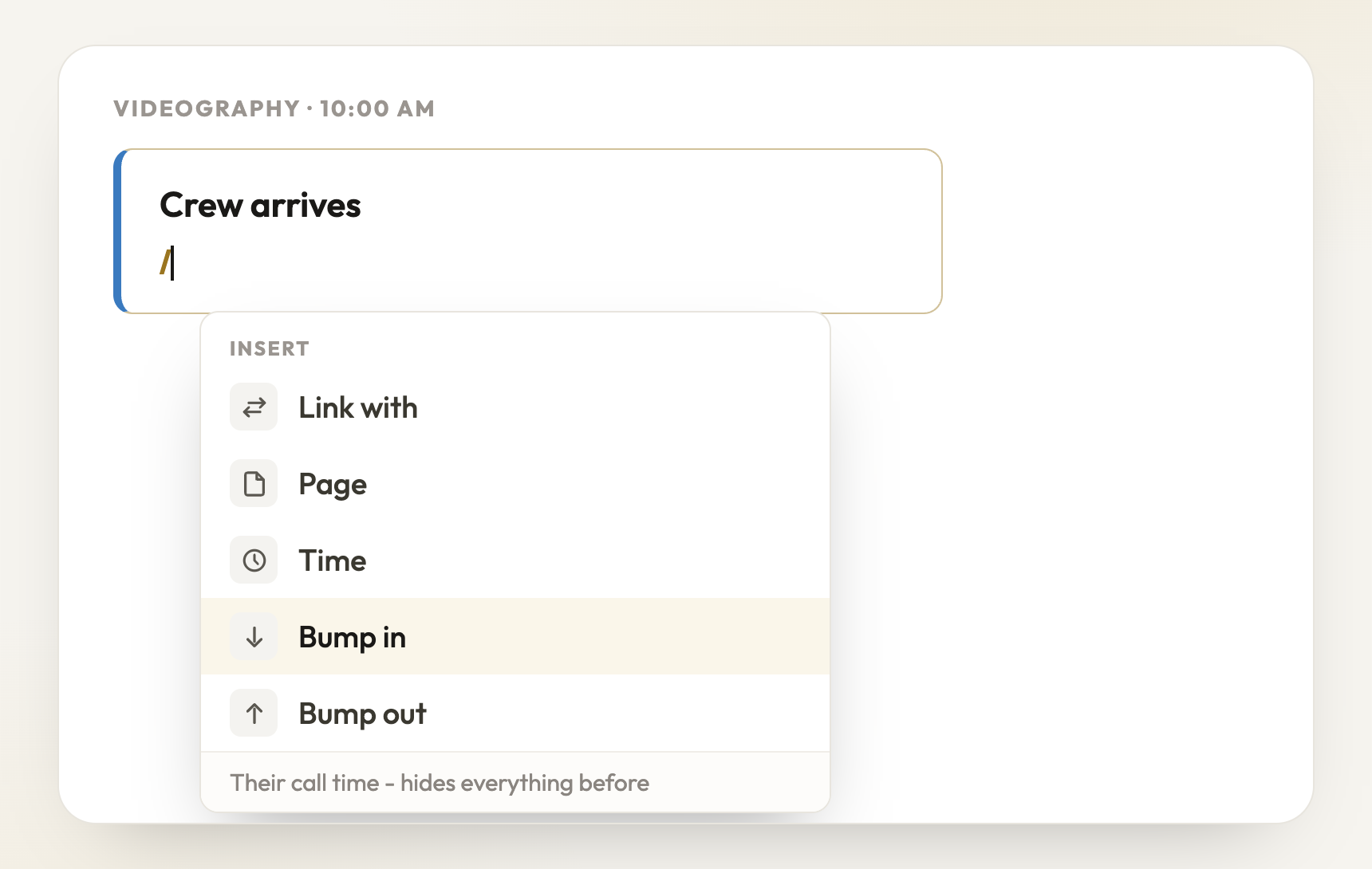
Cells now answer to commands. Type / and a small menu appears with everything you can insert - no toolbars to hunt through, and your hands stay on the keyboard.
Type / in any cell - one menu for links, pages, times and bump windows
/time drops a moment inside the cell - typed into a live chip, placed with Enter
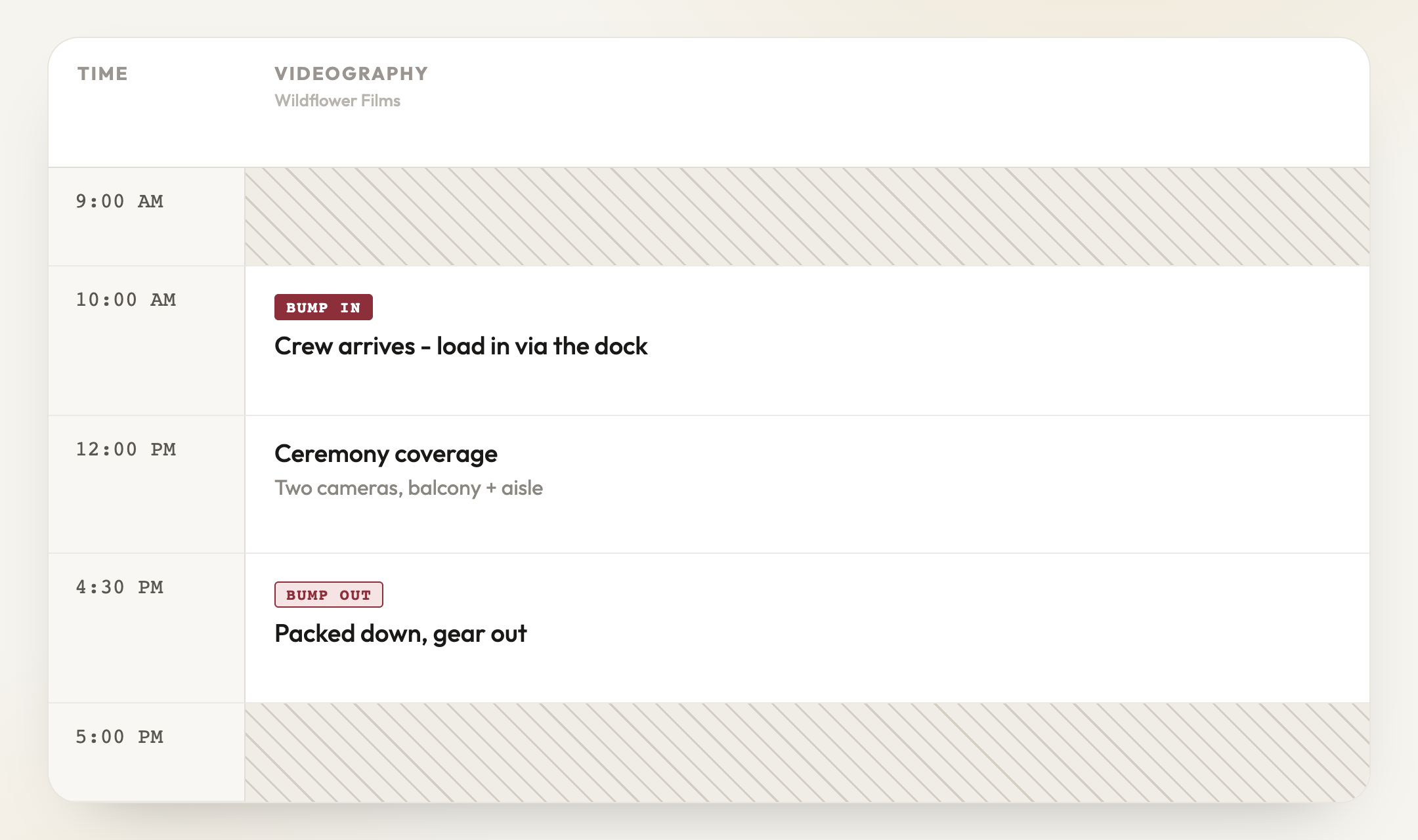
/bumpin and /bumpout give each vendor an on-site window - outside hours hatch out
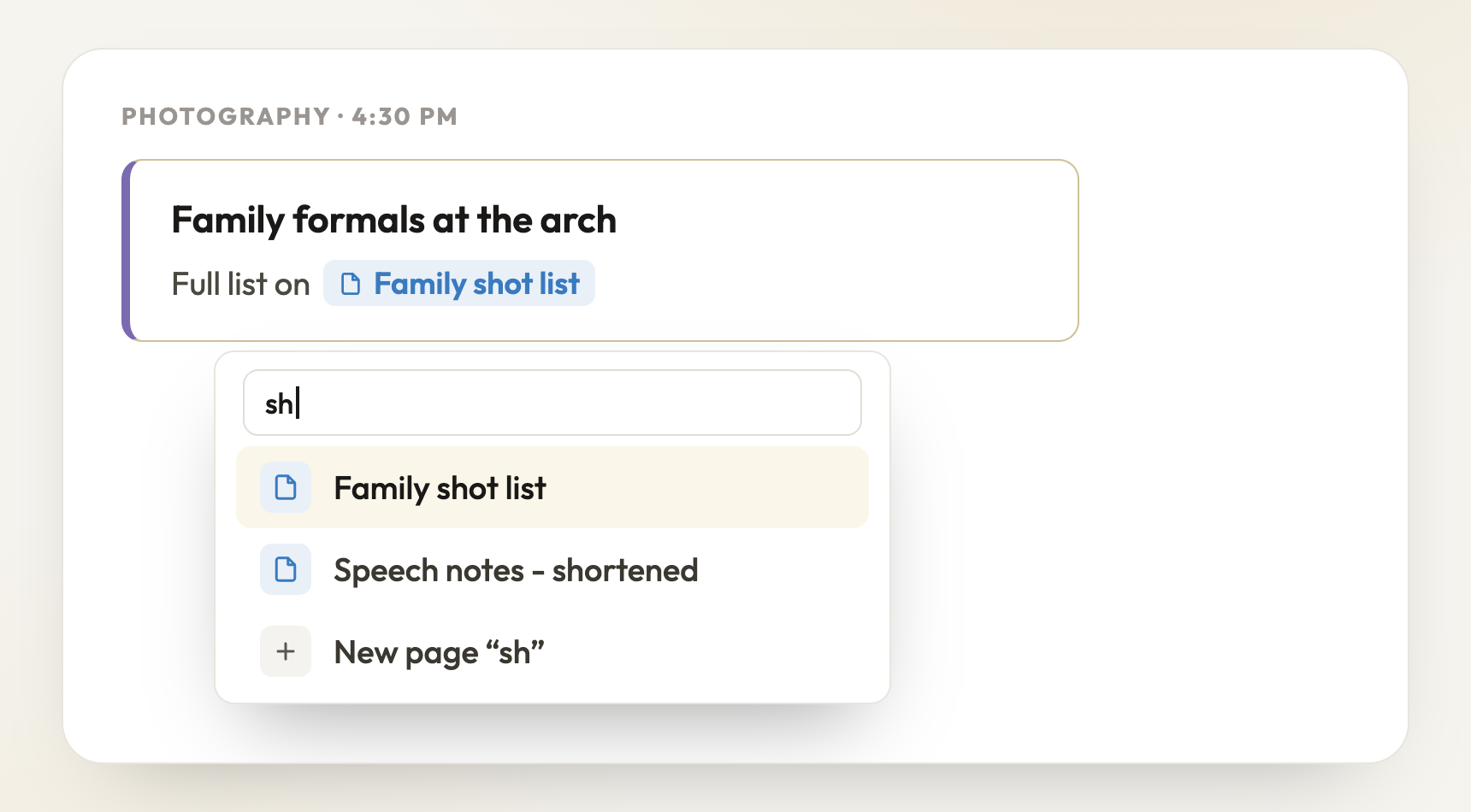
/page pulls one of your pages into the cell as a pill, or starts a new one
/time drops a time marker between lines - type the time, press Enter, and it sits inside the cell with a rule across. It keeps to the cell’s window and works out AM or PM for you
/bumpin and /bumpout mark a vendor’s call time and finish in their column. Hours outside their window hatch out on your sheet - and on the vendor’s own view those hours are simply gone
/page pulls one of your pages into the cell as a pill, or starts a new page on the spot
/link shares the cell into another vendor column - the same linked cells as the right-click menu
Big updateFor couples & planners·19 August 2026
Pages - the documents behind your day
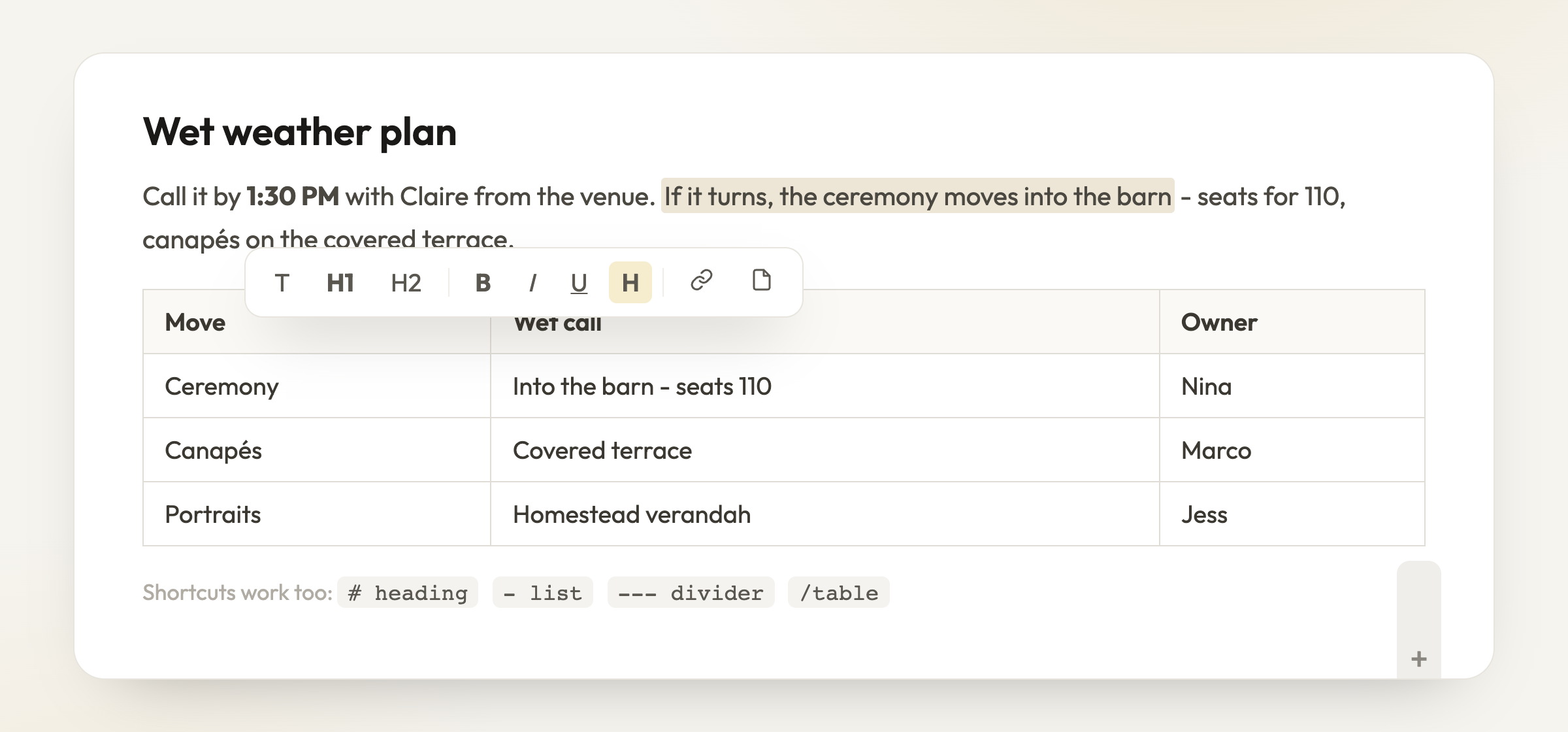
Some things do not fit in a cell: the family photo list, the full order of service, the wet weather plan. Pages is a new home for those documents - right beside your run sheet, and connected to it.
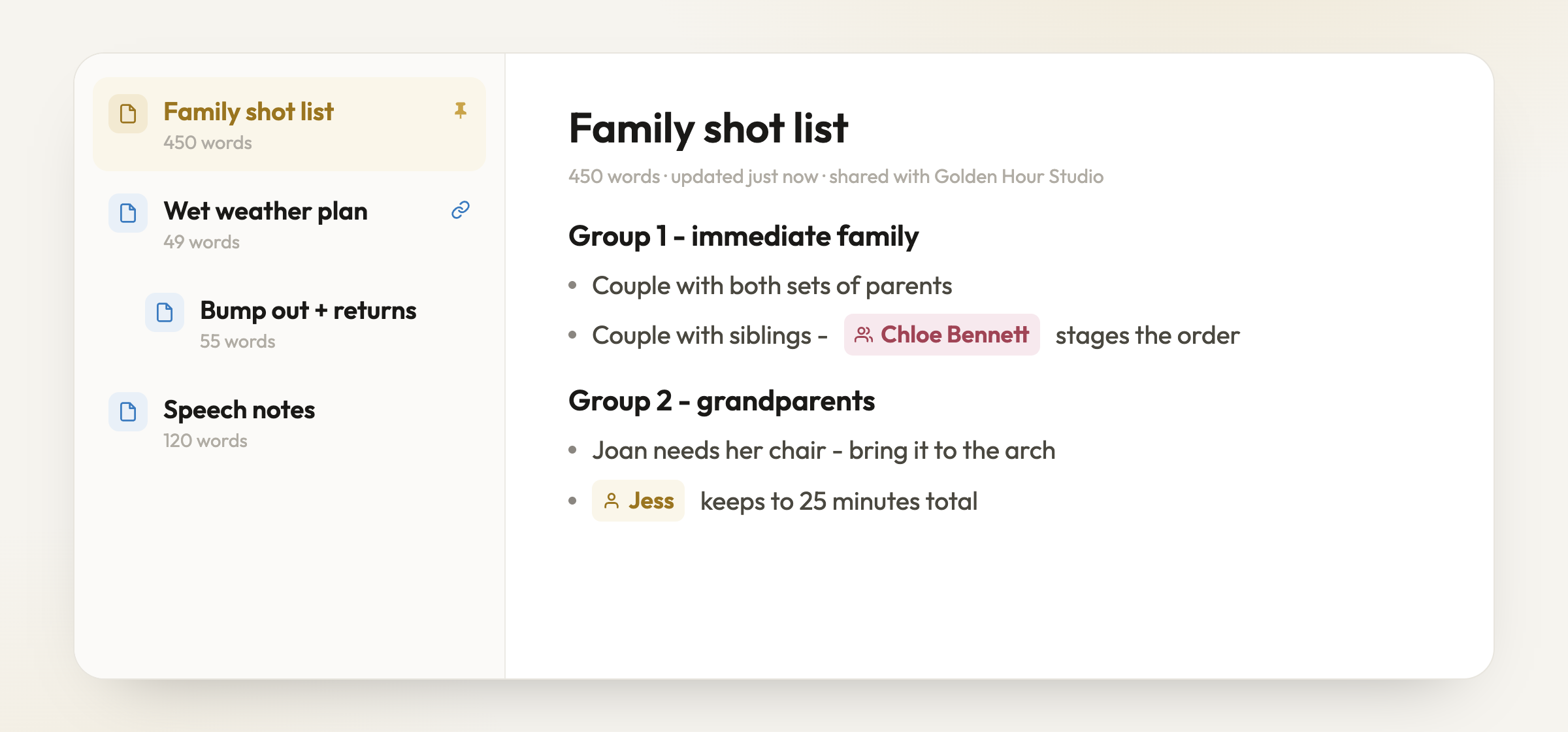
Pages sit beside the run sheet - shot lists, running orders, wet weather plans
Select text for formatting, headings and tables - or turn a selection into its own page
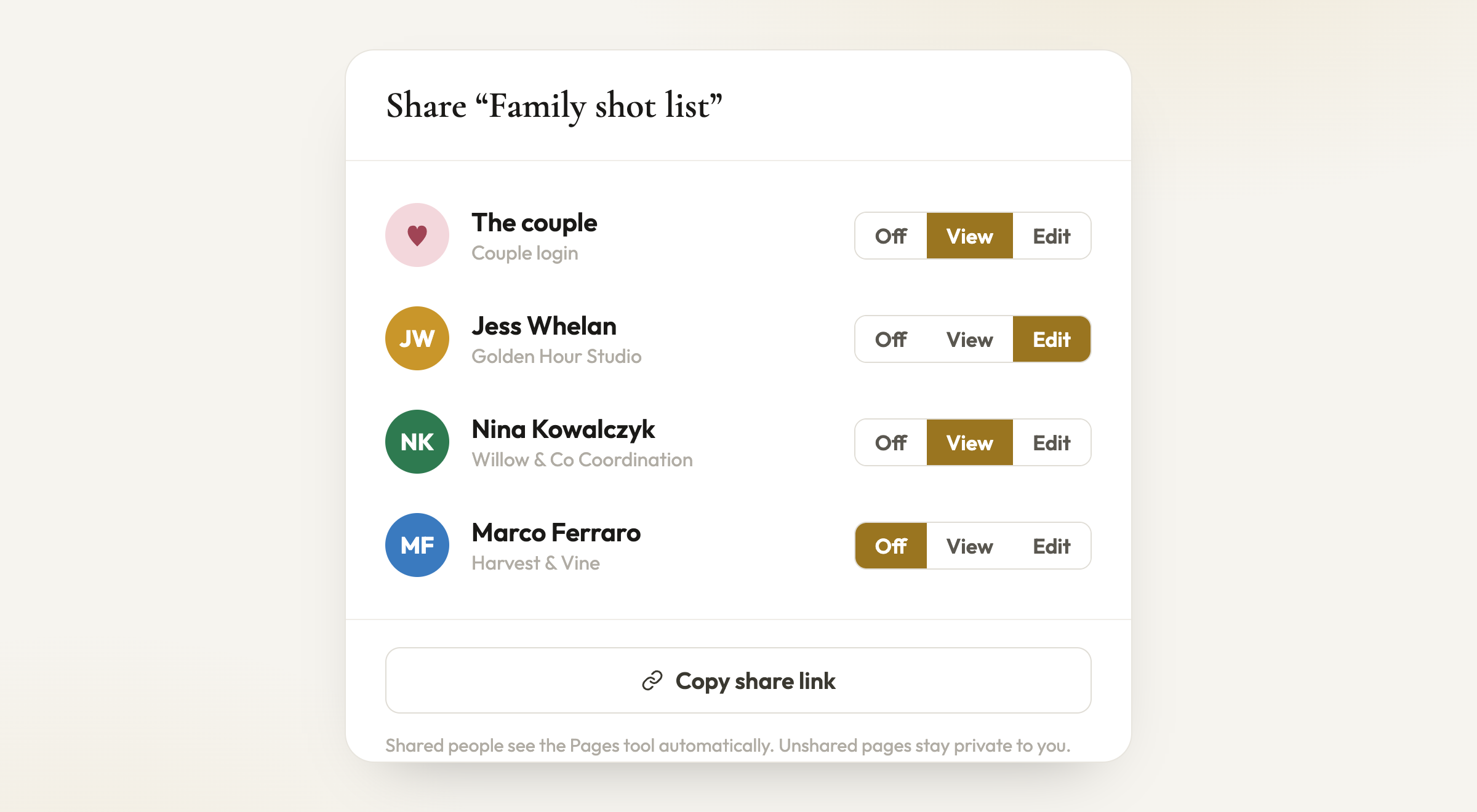
Share each page with exactly who needs it - view or edit, per person
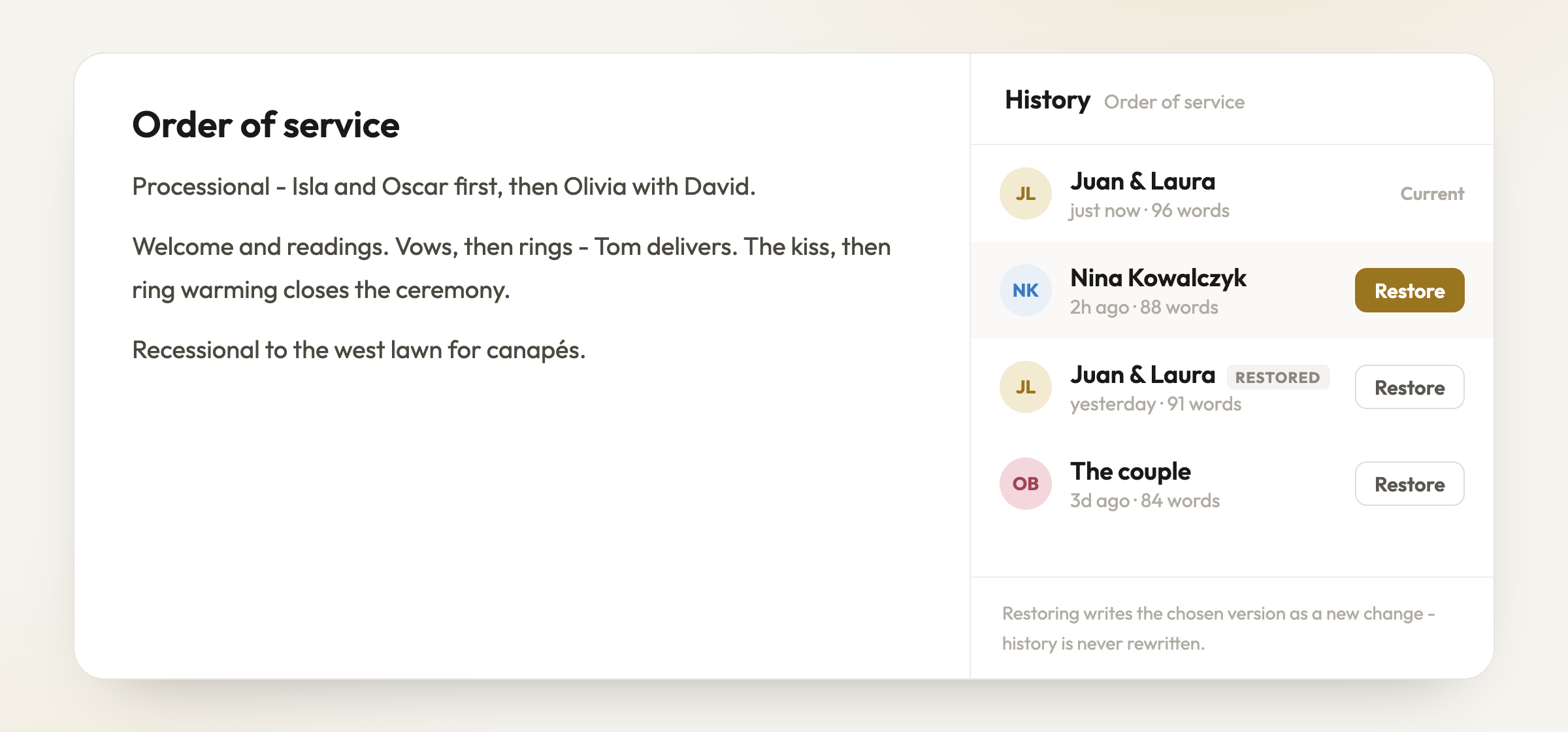
Every page keeps its history - see who changed what, and restore any version
Write pages like a document - headings, bullets, tables, dividers, and the same mentions as the run sheet
Type /page in any run sheet cell to create one on the spot - the cell keeps a small page pill that previews it in place
Select any text and a small toolbar appears - or use shortcuts: # for a heading, - for a list, a table from the / menu
Turn a selection into its own page in one click - the text moves, a pill takes its place
Share each page with the couple or a vendor - view or edit, per person; unshared pages stay private to you
Pin your most-used pages to the top, and drag pages to reorder or nest them
Every page keeps a full version history - see who changed what and restore any version without losing the trail
For planners
Link a page to a Discussion agenda and the page shows where it is being talked about - one click takes you to the conversation
Big updatePlanner featureFor planners·11 August 2026
Discussion - one place to talk it through
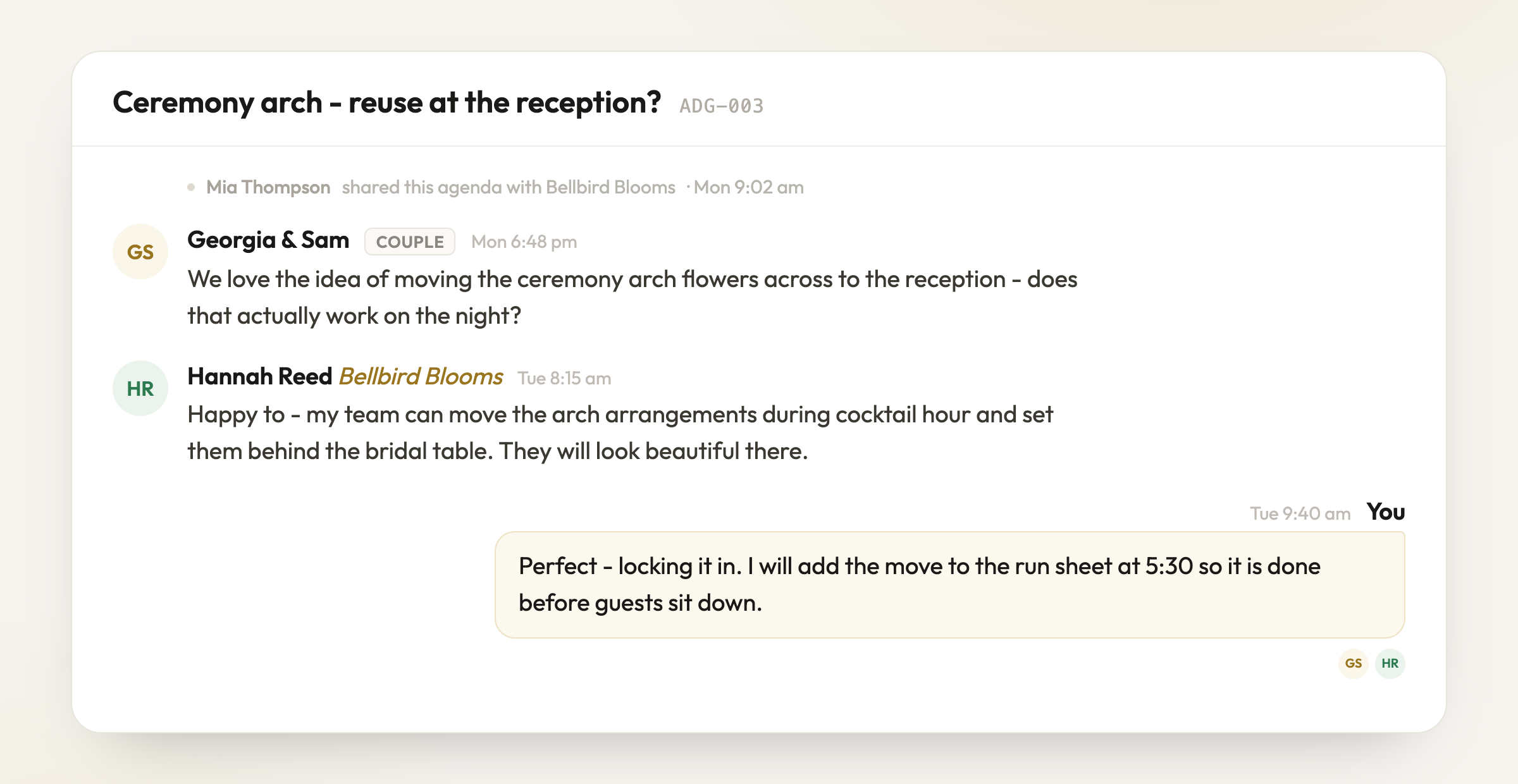
Every wedding now has a Discussion space - a conversation thread between you, your couple and the vendors on the day, sitting right beside the run sheet. No more decisions buried in text messages and email chains.
One thread - you, the couple and the vendor, talking it through
You choose exactly who each agenda is shared with
Agenda notes stay with your team - never the couple or vendors
One conversation per wedding, shared with the couple and the vendors you choose
@mention anyone in the thread, and search the conversation by text or @mention
Share files where the conversation happens - contracts, mood boards, quotes, links
Files stay sorted by agenda, with version history - upload a new revision and the older ones keep their place
Keep agenda notes only your team can see, alongside the shared thread
Everyone can choose email updates for new messages, and mute them per person
Couples and vendors see their own scoped view - nobody sees more than they should
Works properly on your phone - conversation first, agenda a tap away
Big updateFor couples & planners·6 August 2026
Partner programme
Love PlannedBy? You can now earn by recommending it. Apply on the Partners page, share your link, and your audience gets a discount applied automatically at checkout while you earn a commission on what they spend.
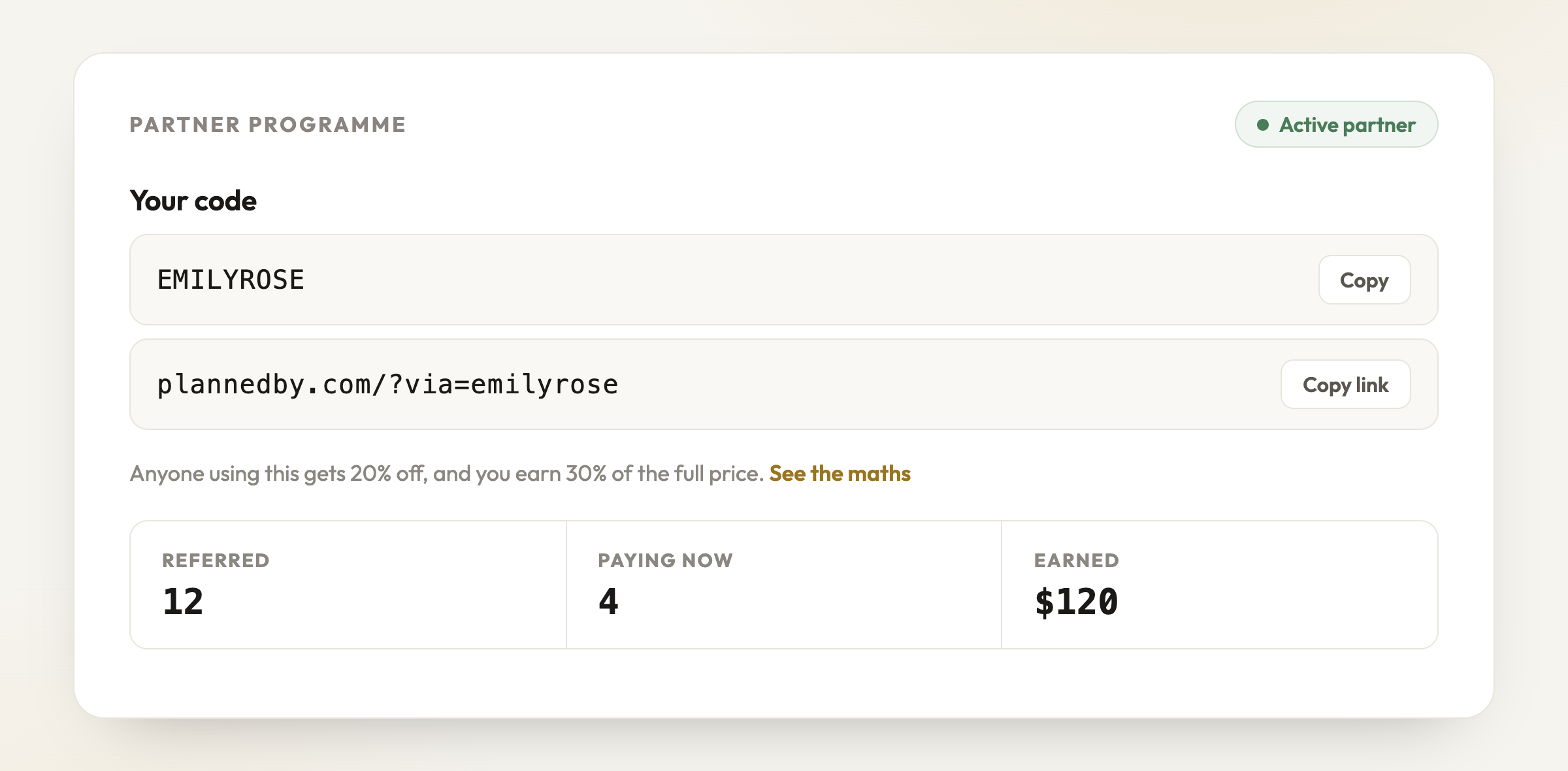
Your code, your link and your earnings - live on your dashboard
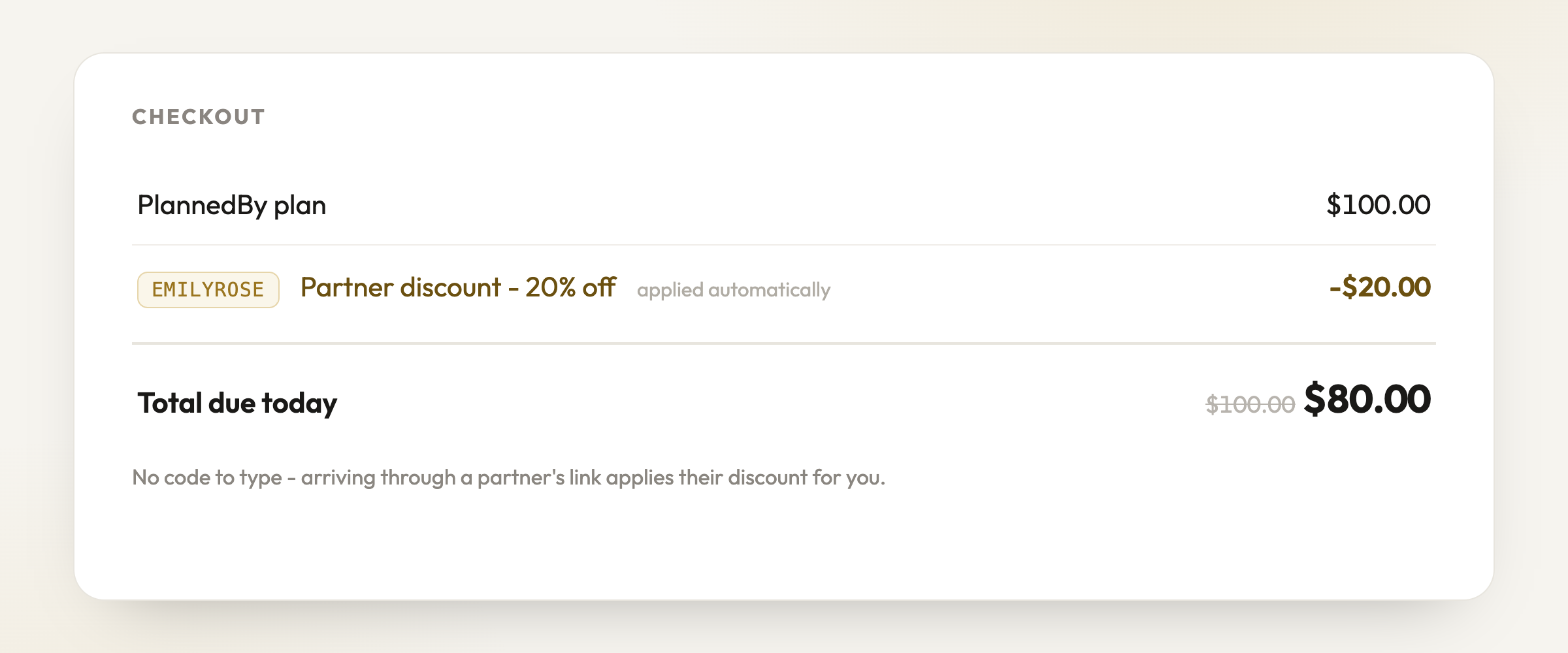
Their discount applies itself at checkout - no code to mistype
Apply in a couple of minutes on the Partners page
Your discount applies automatically at checkout - no codes for anyone to mistype
A partner dashboard shows your link, your code and what you have earned, live
The maths is explained in one picture - no fine print
Big updateFor couples & planners·30 July 2026
Runsheet Templates
Not sure your run sheet covers enough? Start from a template. Pick your day shape, tick the vendors involved, choose how much detail you want, and preview the whole schedule before anything touches your sheet.
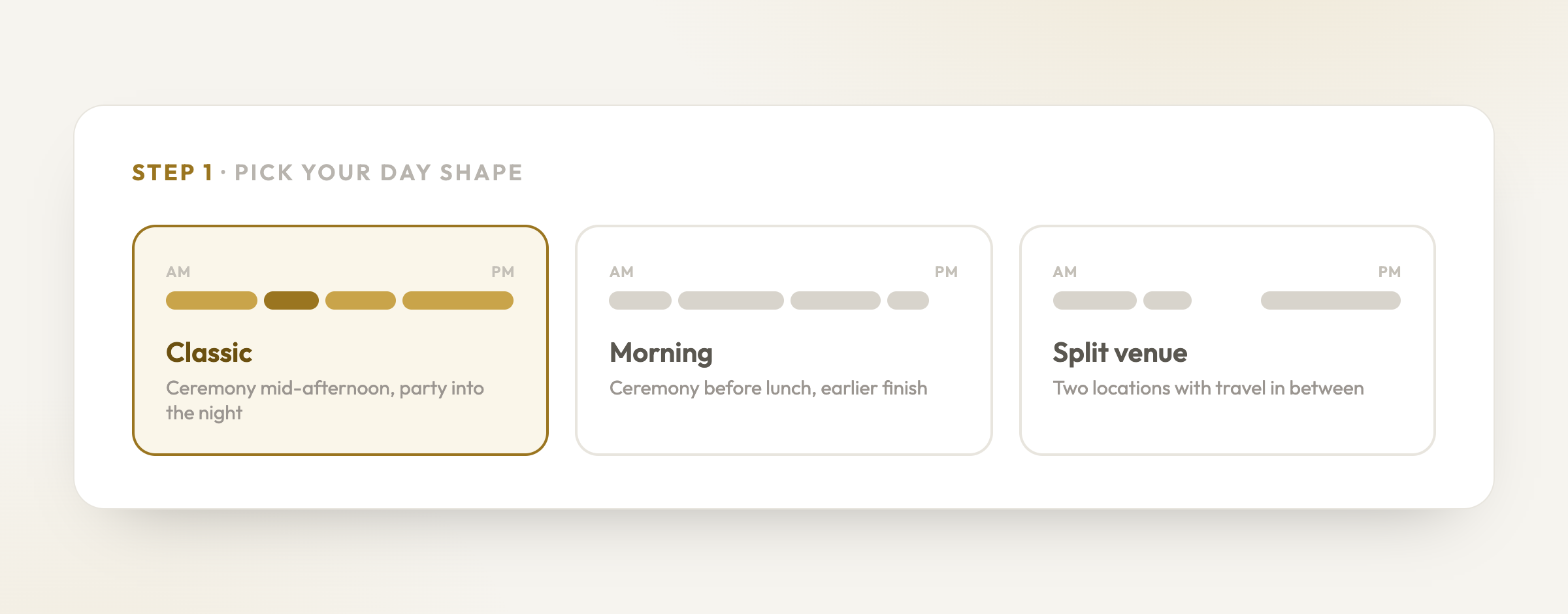
Step 1 - pick the shape of your day
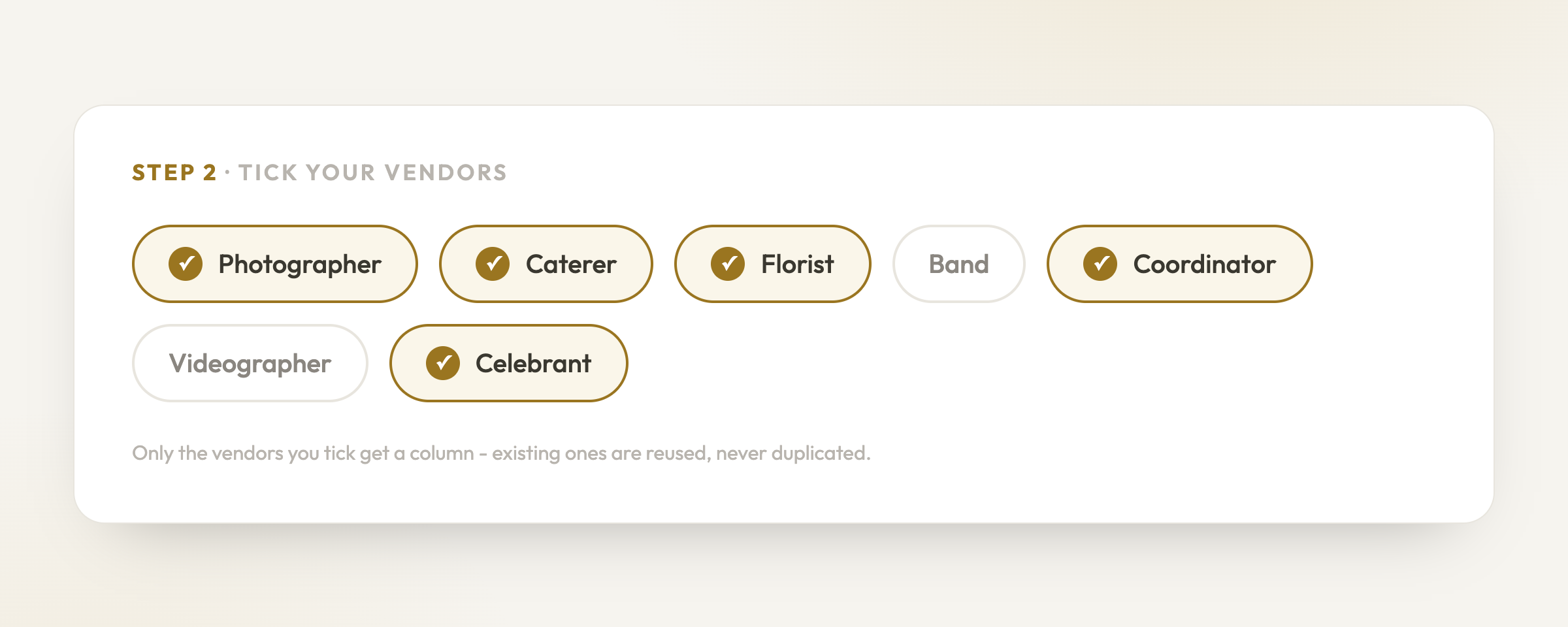
Step 2 - tick the vendors you have
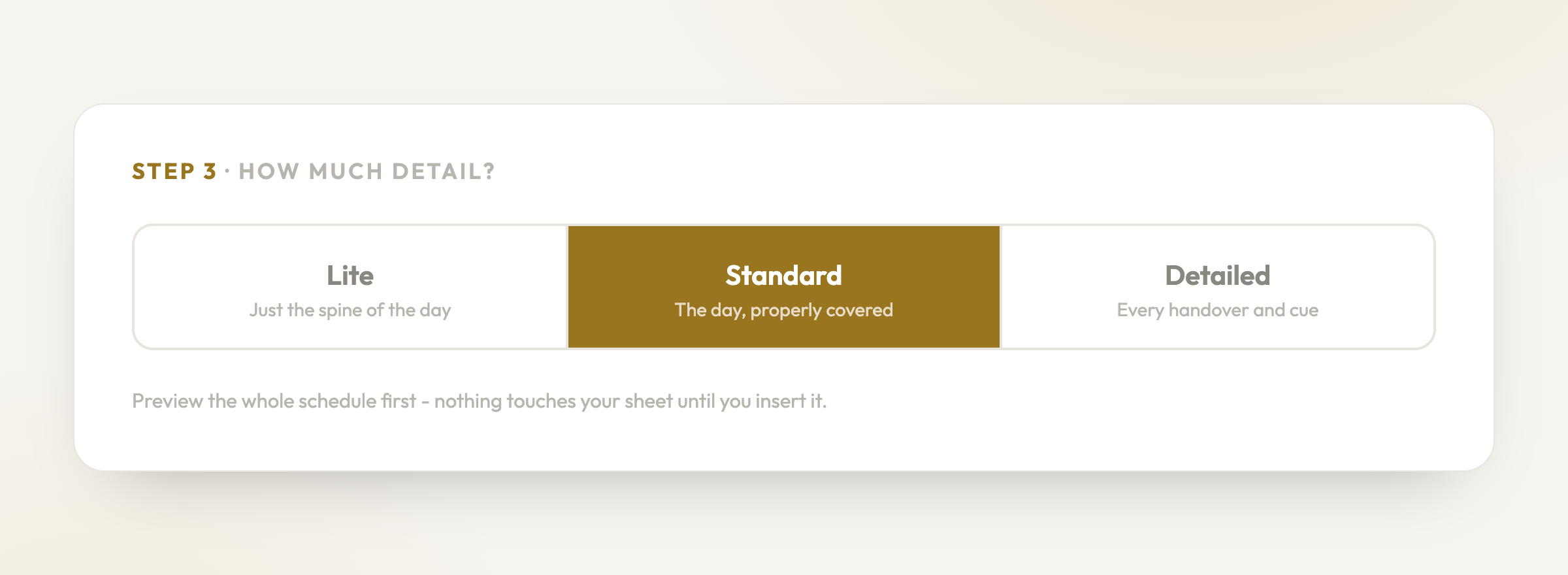
Step 3 - choose how much detail
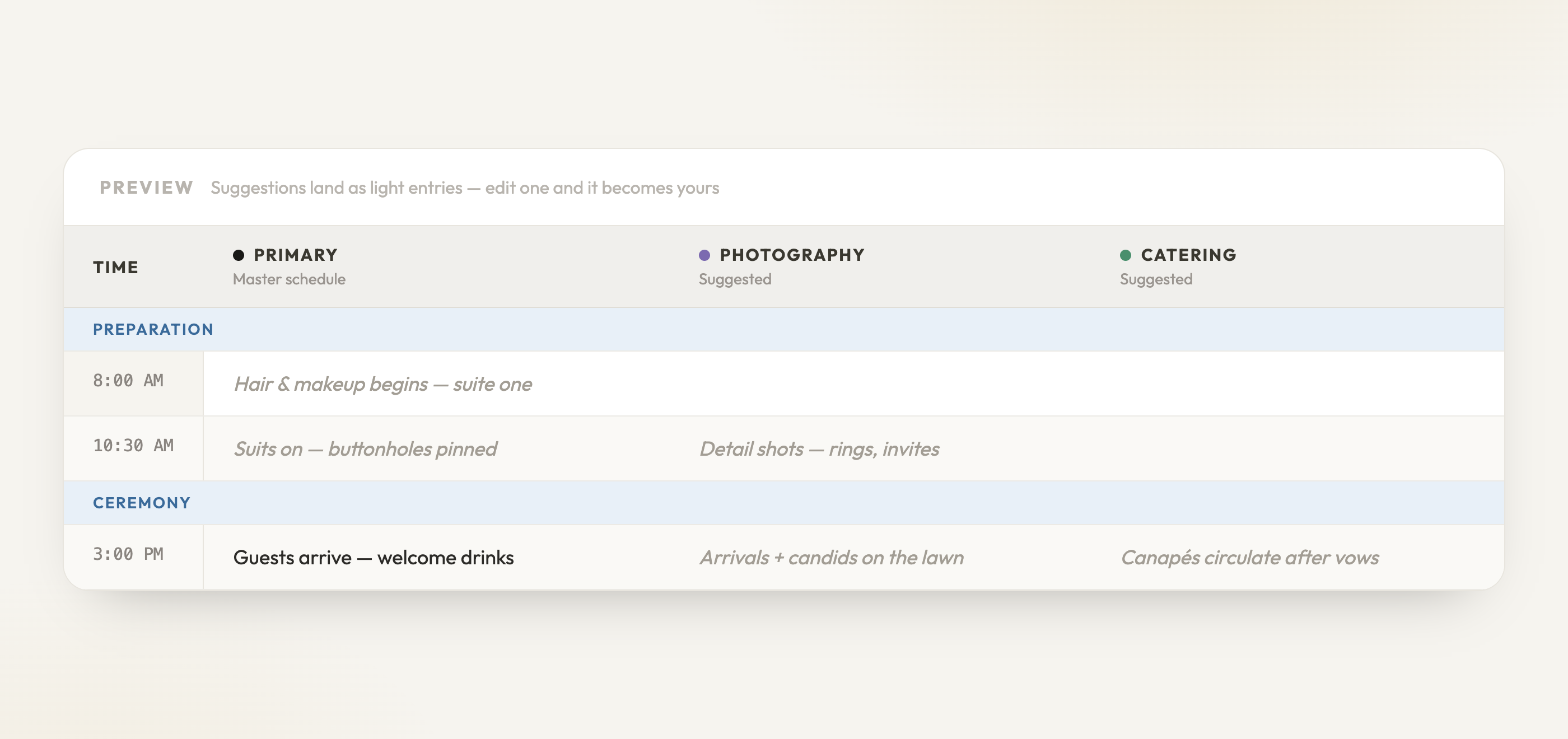
Suggestions land light - edit one and it becomes yours
Build a starter schedule from your day shape - classic, morning ceremony, or split venue
See the outline first - the parts of your day and how much is in each - then open every row if you want it
Nothing is added until you insert it
Inserted rows arrive as light suggestions: edit one and it becomes yours, or clear all suggestions in one click
Everything is undoable, including inserting or clearing a whole template
Existing vendors and columns are reused automatically - no duplicates
For couples
Answer three quick questions and get a realistic starting schedule instead of a blank grid
For planners
Drop a proven baseline into a new client’s sheet in under a minute, then tailor it
Big updateFor couples & planners·30 July 2026
Focus on the columns you need
Big vendor team? Show only the columns you’re working with. Hidden columns shrink to a slim marker instead of disappearing, so nothing is ever lost - one click brings a column back.
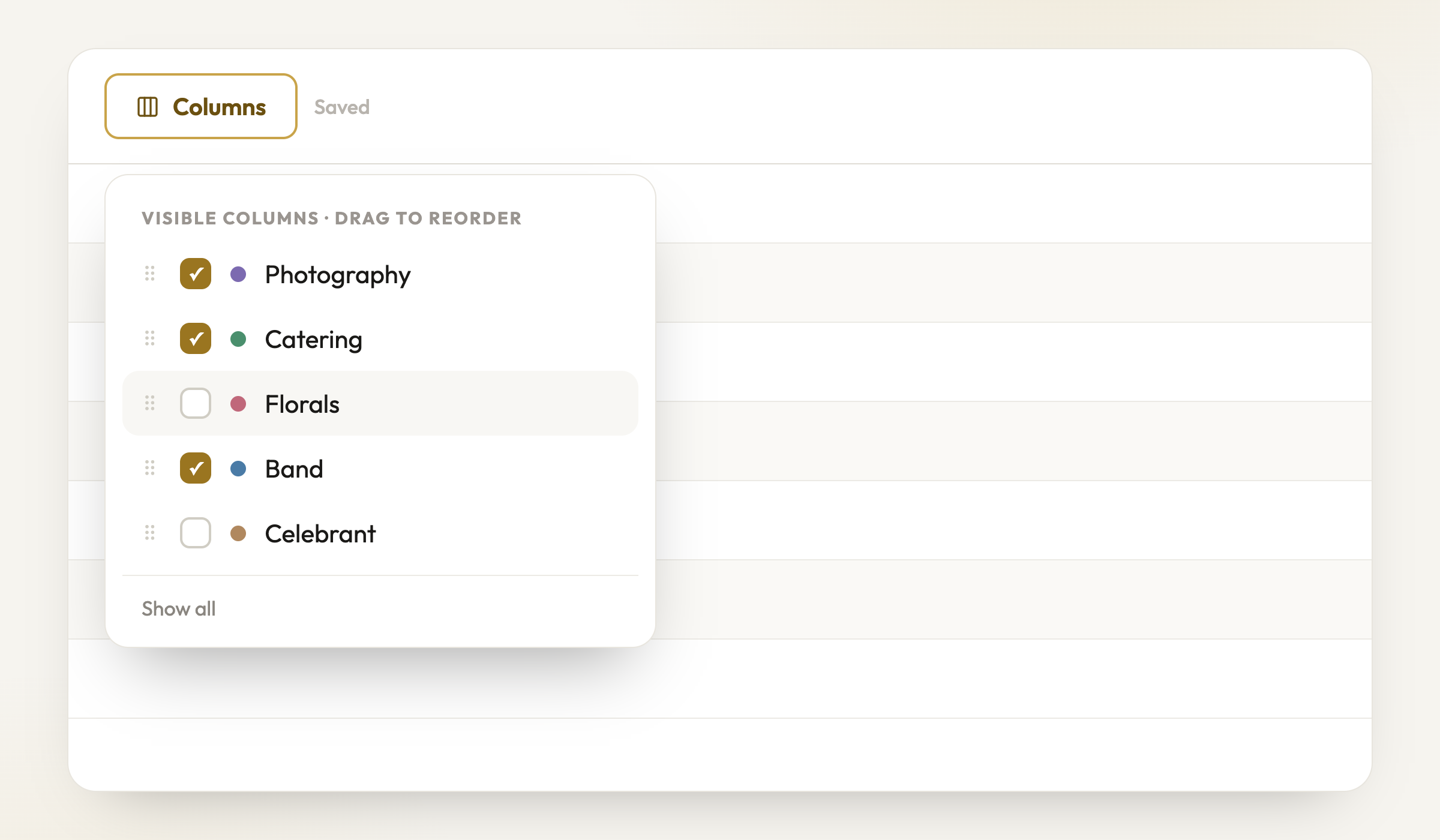
Tick what you want on screen, drag to reorder
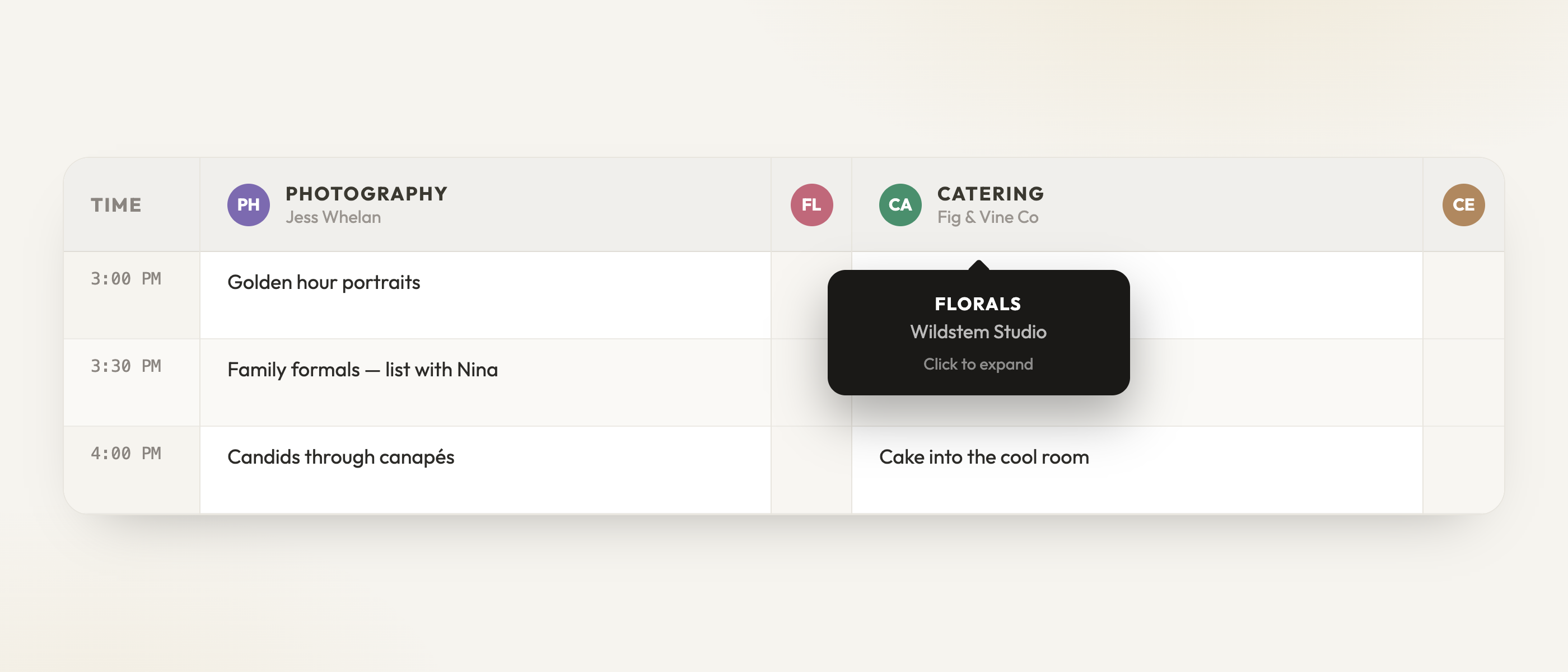
Hidden columns wait as slim markers - click to bring one back
Columns button on the run sheet toolbar - tick what you want on screen
Hidden columns collapse to a slim marker; hover it to see who it is, click to bring it back
Right-click any column header to hide it from there too
Drag columns in the list to reorder them on the sheet
On your phone it’s the View button - same filter, made for day-of checking
Your view is yours alone - it never changes what your partner or vendors see
For planners
Working a 10-vendor sheet on a laptop finally fits on one screen
Minor updateFor couples & planners·30 July 2026
Simpler invite links
Vendor and partner invite links are now short, stable links that never expire - copy one from the column menu and it just keeps working.
Copy Invite Link from any vendor column’s menu
Links stay valid - no more re-sending because an old link stopped working